

Your email subscription just grew a webhook
Zapier puts webhooks behind its $19.99 Professional plan and counts every step your automation takes against a task allowance. On Monday the same outbound webhook, plus connectors to HubSpot, QuickBooks, Salesforce and Slack, started showing up inside Google Workspace with no second bill and no meter. The tier that can restrict where those webhooks point is not the tier most small businesses are on.
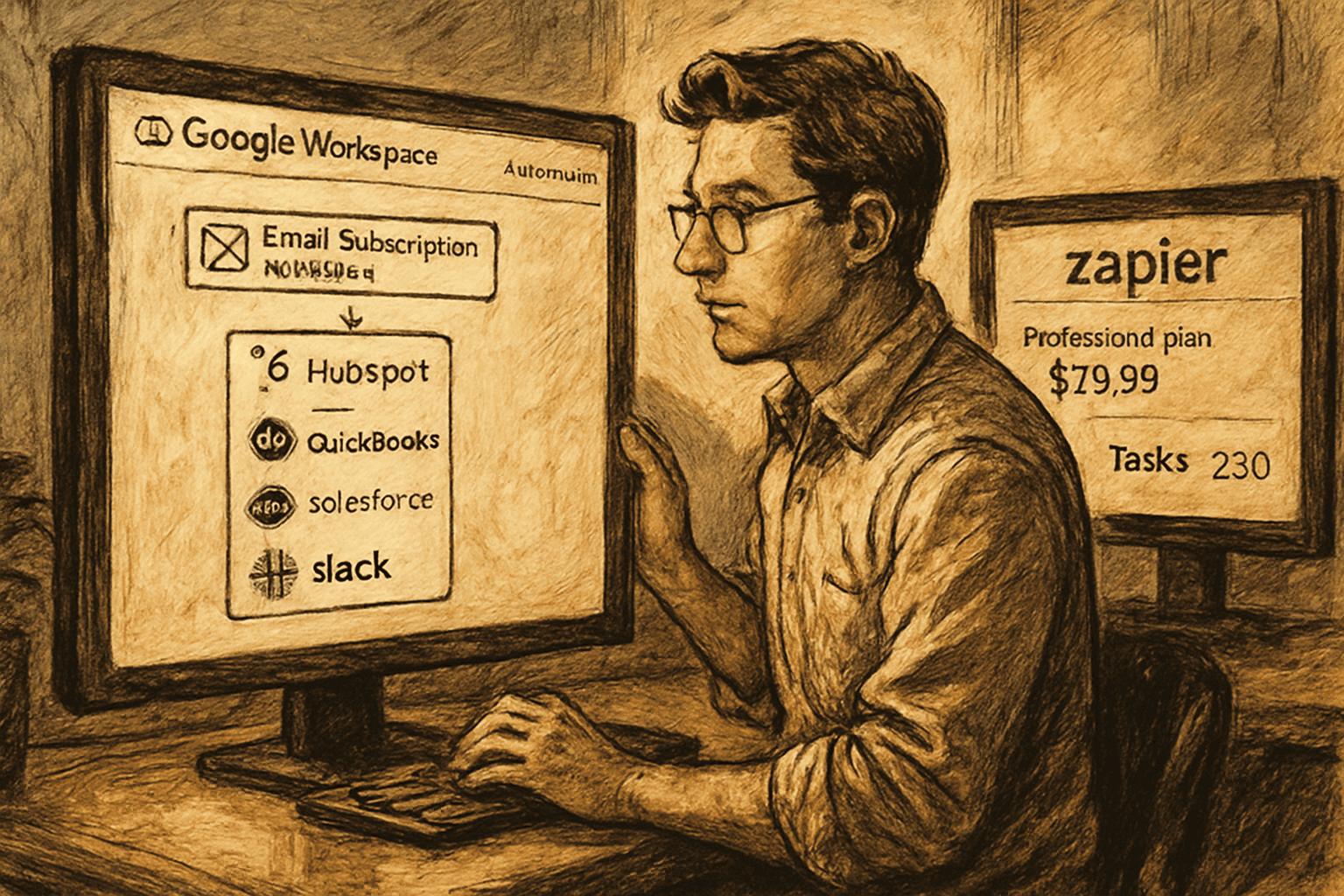
A lead form comes in on Friday night. A flow inside Google Workspace picks it up, writes the row to a sheet, opens the deal in HubSpot, and then fires an HTTP request at the dispatch system nobody has ever managed to connect to anything. That last step is the whole story. Until this week, Workspace Studio could only move things around inside Google, which made it a tidy little tool for people whose entire business lived in Gmail and Sheets and nowhere else. As of today it can reach out. Zapier's own pricing page puts webhooks behind the Professional plan, which starts at $19.99 a month, lists Team at $69, and counts every successful step your automation takes against a task allowance that all your Zaps, AI steps and code share. Workspace Studio counts nothing, because there is no meter to count with. It is inside the bill you already pay for email.
What actually changed
Google shipped four things to Workspace Studio flows: custom starters, custom steps, third-party integrations, and webhooks. The announcement went up on Thursday, the admin console settings rolled out on the 17th, and the end-user features begin appearing today, September 21, for Rapid Release domains. Scheduled Release domains start on September 30 and take up to fifteen days after that.
Custom starters mean a flow can now begin because something happened in another application, in real time, rather than because somebody opened a Google Doc. Custom steps mean a flow can run your own logic in the middle, written in Apps Script. Third-party integrations, in beta, cover Asana, Confluence, HubSpot, Jira, Mailchimp, QuickBooks, Salesforce and Slack. Webhooks let a step send an HTTP request to any endpoint you name and trigger something on the other side.
Availability is the part that matters for our reader, and it is unusually generous. Google's own plan comparison shows Workspace Studio on every business tier including Business Starter, and the launch post lists Business Starter, Standard and Plus alongside the Enterprise and Education editions. This is not a capability gated behind an enterprise conversation. It is on the cheapest plan a ten-person company would buy.
Everything is off by default. An admin switches on custom steps, integrations and webhooks separately, under Apps then Google Workspace then Workspace Studio in the admin console, and sets human approval requirements for each.
Why this matters if you are not a developer
Think about what the automation subscription on your card is actually buying. It is not the logic. The logic is usually four steps a competent ops person could describe in a sentence. What you are renting is the plumbing: a thing that watches one system, holds a credential for another, and knows how to speak HTTP to a third. You are renting the ability to reach across a boundary.
That is why the pricing works the way it does. Zapier's own FAQ is refreshingly plain about it: tasks are shared across the account, Zap workflows and AI steps and code and MCP and the SDK all draw from the same allocation, and one MCP tool call spends two tasks. When you hit the limit, either you pay per task at a higher rate than your subscription rate or your automations pause until the next billing period. The meter is the product. Everything else is a visual editor.
So the interesting question this week is not whether Workspace Studio is as good as Zapier. It is not. Nine thousand integrations against eight is not a close contest, and nobody at Google is pretending otherwise. The question is what happens to the shape of your stack when the boring eighty percent of your automations stop needing a second vendor.
Here is a concrete version. A twelve-person distributor runs maybe nine automations. Three of them shuffle documents and spreadsheets around inside Workspace. Four of them move a record between Workspace and one business system, which is now HubSpot or QuickBooks or Salesforce or Slack, all four of which are on the new integration list. One of them posts to an internal tool nobody supports, which is now a webhook. And one of them does something genuinely strange that needs the long tail of connectors.
Eight of those nine just became free. Not cheaper. Free, in the sense of already purchased, with no per-run accounting and no month where the flows stop because somebody's report generator went into a loop on the 22nd. The ninth one still needs a real automation platform, and if you cancel that subscription over it you will be back in three weeks feeling foolish.
That is the honest shape of the opportunity, and it is a better one than "switch everything." Most small businesses do not have an automation platform problem. They have a nobody-built-it problem. The flows that never got built are the ones where somebody priced out the seat, looked at the task tiers, tried to guess a monthly volume for a process that does not exist yet, and quietly decided to keep doing it by hand. A capability that costs nothing extra changes that calculation in a way a discount never does, because it removes the forecast. You no longer have to be right about volume before you are allowed to start.
The practitioner reader gets a different win. If you are the RevOps person who has been filing tickets to get a webhook fired from somewhere, that ticket is gone. Not because Google built something clever, but because the thing you needed was a permission and an endpoint field, and both of those are now in a product your company already administers.
The honest take
Start with the footnote, because it is the most important sentence in the announcement and it is set in smaller type at the bottom. Webhook URL allowlist functionality is available for Business Plus, Enterprise Standard and Plus, and Education Standard and Plus. Read that again with the availability list next to it. Business Starter and Business Standard get outbound webhooks. Business Starter and Business Standard do not get the ability to restrict where those webhooks point.
That is exactly backwards. The organizations least likely to have anybody whose job includes reviewing an endpoint are the ones handed the version with no guardrail, and the organizations most likely to have a security function get the switch that would have protected the others. Google will tell you the approval settings cover it, and webhooks do respect the approval requirements configured for Sensitive Steps, so a human has to sign off. But approving a step is not the same as constraining a destination. A person clicking approve on a flow they did not write, in a product they started using last week, is a checkbox, not a control. The allowlist is the control, and it is upsell.
Second thing. "Custom steps" is where the no-code framing quietly stops being true. Custom steps run Apps Script. Apps Script is code, it is JavaScript, and it has its own quotas, its own auth model and its own way of failing at two in the morning for reasons that are not in the flow editor. There is nothing wrong with that, and honestly it is the right design. But if your mental picture of this release is that a non-technical person can now build anything, the accurate picture is narrower: they can build anything that fits the eight prebuilt integrations, plus anything that can be expressed as an HTTP request. Past that boundary somebody is writing script, and if that somebody is you on a Friday afternoon, you are vibe coding inside Google's runtime, which is a real and useful thing to be doing but is not what the word "automate" implied.
Third, the integrations are in beta. Beta at Google means the shape of the thing can change, and for anyone who has run a business process on a beta connector, you know how that goes. Do not put your invoice chase on it in October and stop looking at it.
Fourth, and this is the one I find genuinely funny. In the same week Google shipped two different connector lists for two different products. Gemini in Workspace picked up MCP integrations on September 15 covering Asana, Atlassian Rovo, HubSpot, Intuit Mailchimp, Intuit QuickBooks, Monday and Salesforce, on by default for anyone with Gemini for Workspace. Workspace Studio got Asana, Confluence, HubSpot, Jira, Mailchimp, QuickBooks, Salesforce and Slack, off by default. Monday is on one list and not the other. Slack is on one list and not the other. So the assistant that can only read your project data can read Monday, and the automation engine that can actually do something cannot. Two teams, two roadmaps, one subscription, and the operator in the middle gets to work out which surface holds the connector they need. That gap will close. It has not closed yet, and if you plan around the press release rather than the availability table you will find it the hard way.
Fifth, the thing nobody says out loud. Moving your automations from a standalone platform into your email provider is not a reduction in lock-in. It is a concentration of it. Today your identity, your documents, your email, your storage and now your business logic are all inside one renewal conversation. That is a strictly worse negotiating position than the one where your automations were portable and your annoying vendor was a $69 line item you could threaten to cancel. The price of free is that the thing you built is now a reason you cannot leave.
And last, on timing. If you go looking for this today and it is not there, you are on a Scheduled Release domain, which is the default for a lot of business accounts. Your date is September 30 plus up to fifteen days. Nothing is broken. The version of this mistake that costs you a weekend is assuming the feature is missing and building the workaround.
What to do with the next hour
Do not migrate anything. Open your automation platform's task usage for the last three months and sort your flows by how many tasks they burn. Then mark each one with which systems it touches. The flows that touch only Google, or Google plus one of those eight apps, are the ones that just stopped needing to be there. That list is usually shorter than people hope and longer than they expect, and it is the only version of this decision that is made with numbers instead of enthusiasm.
Then ask your admin for one thing: webhooks on, approval required, and if you are on Business Plus or above, the allowlist configured before anybody builds anything. If you are not on Business Plus, write down the endpoints your flows are allowed to hit and put that list somewhere a person will actually look, because Google is not going to enforce it for you.
The capability arriving for free is the easy part to understand. The part worth sitting with is that a tool which could only rearrange things inside its own walls just learned to make an outbound call, on the cheapest plan, in an account where the person who approves it and the person who wrote it are frequently the same person.
Sources
Every claim above traces back to one of these. Go read them yourself.
- 01Automate workflows with custom starters and steps, third-party integrations, and webhooks in Workspace Studio
Google Workspace Updates / workspaceupdates.googleblog.com / retrieved Sep 21, 2026
- 02Connect to more tools with Gemini in Google Workspace
Google Workspace Updates / workspaceupdates.googleblog.com / retrieved Sep 21, 2026
- 03Google Workspace Weekly Recap - September 18, 2026
Google Workspace Updates / workspaceupdates.googleblog.com / retrieved Sep 21, 2026
- 04Plans & Pricing
Zapier / zapier.com / retrieved Sep 21, 2026
- 05Compare Flexible Pricing Plan Options
Google Workspace / workspace.google.com / retrieved Sep 21, 2026
Suggested reading
Selected articles based on topic, tags, and skill focus across the library.
AI News
The workflow came prebuilt. Your data did not.
Anthropic shipped 43 ready-to-run small business workflows yesterday, including one that answers an after-hours web form, qualifies it, books it, and logs it. The connector counts underneath each one are the real story, and so is the input nobody mentions.
AI News
Google will now tell you what your customer data is worth to Google
Pushing closed-won revenue from the CRM back into the ad platform used to mean a customer data platform at $7,440 a year or an engineer you do not have. Thursday it became one documented endpoint inside a product you already log into, shipped alongside a metric that grades how well you are feeding it. The pipe is worth taking. The grade is not.
AI News
Somebody has to put their name on the firing
California signed SB 947 on Wednesday. From 1 July 2027, if an automated system is the main reason someone gets disciplined or fired, a human has to corroborate it against real evidence, the employee gets a written notice naming a person they can call, and at a hearing the employer is the one who has to prove the system was not the main reason.