

LibraryGit Articles11 min read
AutoClip and the minute you pay for either way
A clipping subscription charges one credit per minute of footage you upload, whether it finds anything worth keeping or not. AutoClip runs the same pipeline on the laptop you already own, MIT licensed, and as of Sunday it installs by double-clicking a file.
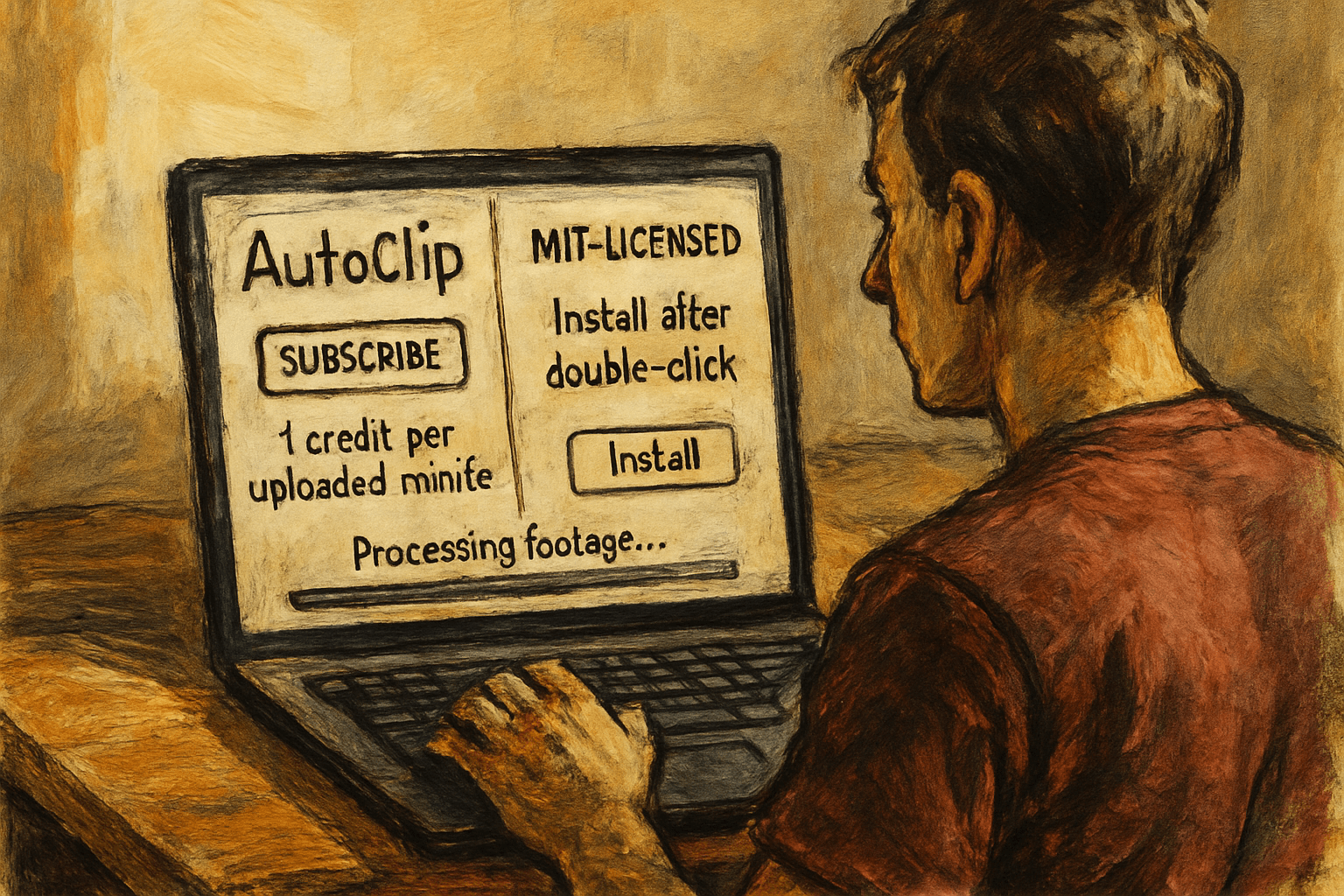
Your business recorded about four hours of video last month without deciding to. The Tuesday webinar nine people attended live. The forty minute product walkthrough somebody did on a call because one prospect asked for it. The all-hands. A podcast episode. Cutting all of that into twenty vertical clips you could actually post runs $29 a month on OpusClip's Pro plan, and the number that matters there is not the $29. It is the meter. One credit per minute of footage you upload, 300 credits in the plan, spent whether the tool finds anything worth keeping or not. Five hours a month, and the four you already have puts you most of the way through it before you have uploaded anything you went looking for. AutoClip runs the same pipeline on the laptop you already own, MIT licensed, and as of Sunday it installs by double-clicking a file.
What shipped on Sunday
AutoClip is not new and it was not, until this weekend, a thing I would have put in front of anybody who does not enjoy a terminal. It sits around 8,000 stars with 1,600 forks, and it took roughly 400 of those stars in a single day after v1.3.0 landed on Sunday evening.
Until that release, AutoClip was a self-hosted web application in the classic shape. Clone the repo, run a Docker Compose stack, and you get FastAPI, Celery, Redis, SQLite and a React front end talking to each other on localhost. Perfectly reasonable software. Also the exact shape that loses our reader at step one, because step one is "install Docker" and step two is a worker queue argument that, if you get it wrong, leaves your jobs sitting in a queue nobody is consuming.
v1.3.0 ships a desktop app instead. There is a .dmg for Apple Silicon Macs and an .exe installer for Windows 10 and 11, and the release notes are blunt about what is inside: "Built-in portable Python + static ffmpeg, nothing to install." The Windows installer goes in per user, no administrator rights, and pulls WebView2 down itself if the machine does not have it. Intel Macs and Linux still go the Docker route.
The pipeline underneath is the same one it always was, and it is worth understanding because it explains both what the tool is good at and where it falls over. It starts with a transcript, either an SRT file you already have or one produced locally by Whisper. A language model reads that transcript and pulls out an outline. A second pass maps the outline onto timecodes. A third scores each candidate segment for how interesting it is. Then ffmpeg cuts the video at those timecodes, a title gets generated for each clip, and the clips get grouped into themed collections. You can render the results to 9:16 with burned-in subtitles and a title card, or leave them as they are.
The other half of the release is the part that removes the bill. AutoClip has always been able to call Alibaba's Qwen models through DashScope, and it still can, along with anything speaking an OpenAI-compatible API. What is new is that the settings page now lists Ollama and LM Studio as first-class presets. Pick one and the API key field disappears, because there is no key. The CLI documentation shows the whole thing running as autoclip run talk.mp4 --provider ollama, with qwen2.5:7b as the default local model. Transcript, outline, scoring, cut, all of it on your own machine, offline, for the cost of the electricity.
The four hours you already have
Here is the thing most coverage of clipping tools gets backwards. It treats them as creator software, as if the problem is producing more content, and then it compares them on how viral the clips are.
For a business the problem runs the other way. You are not short of footage. You are drowning in footage that nobody will ever watch a second time, because the useful ninety seconds is buried at minute thirty-one of something with a title like "Q3 Product Update Recording."
Think about what is sitting on your drive right now. Every recorded discovery call where a customer explained their own problem better than your marketing does. Every training session where the best technician on the crew explained why the capacitor dies in July. The onboarding walkthrough you record fresh for every new hire because nobody ever cut the old one up. The conference talk somebody gave that got fourteen views on YouTube.
That material is already paid for. Somebody's hour produced it. The only thing standing between it and twenty usable clips is the labor of watching it back and finding the good parts, which is precisely the job this tool does and precisely the job nobody at your company has time for.
For the RevOps and marketing-ops reader the shape is a little different and a little more annoying. You have probably already asked for this. The request goes something like "can we get the good bits of the customer webinar cut into clips for the nurture sequence," and it goes into a queue behind three integrations and a reporting project, and six weeks later it is still there. The version of that request you can satisfy yourself on a Friday afternoon is a different request entirely.
And the metering is why this matters more than it sounds. A hosted clipper charges you for source minutes. That means the economics punish exactly the behavior that would make it valuable, which is feeding it everything you have and seeing what comes back. At one credit a minute you are making a judgment call about whether a two hour recording is worth 120 of your 300 monthly credits before you know whether it contains anything. Locally, the answer is that you point it at the whole folder and go make coffee. The marginal cost of being wrong drops to zero, which changes what you try.
Getting it running, honestly
Three paths, genuinely different in difficulty, and the difference matters more than the feature list.
The desktop app is the easy one and it is new enough that you should treat the version number seriously. Download the installer, run it, and there is no Python, no Docker, no Redis, no ffmpeg install. Call it fifteen minutes. Two things will make you pause on the way in. The macOS build is ad-hoc signed, so the first launch needs a right click and Open rather than a double click. The Windows build is unsigned, so SmartScreen throws a warning and you have to click More info and then Run anyway. That is normal for a project this size and it is also the thing I would not want to train a whole team to do casually.
Then you need a model. If you want the free and offline version, install Ollama separately, pull qwen2.5:7b, and select the Ollama preset in settings. Add half an hour for that, most of it download time. If you would rather use a cloud model, paste a key in instead and skip it.
And if your video does not come with subtitles, you need local transcription. The settings page has a one-click install for Whisper, or you install faster-whisper yourself. Add another chunk of download. This is the single biggest speed lever in the whole tool: if you already have an SRT file from your webinar platform or your meeting recorder, hand it over and you skip the transcription pass entirely.
The second path is Docker, which is what you use on an Intel Mac or a Linux box, or if you want the thing running on a server so the whole team can use one instance. That is the full stack, it wants 8GB of RAM and 10GB of disk, and it is an afternoon for someone who has done it before.
The third path is the one that will interest anybody already working with a coding agent. AutoClip ships an MCP server and an agent skill, so Claude or Cursor can call clip_video directly and hand you back scored clips with timecodes. That is a real capability and it is also the least mature surface here, so treat it as a bonus rather than the reason you install this.
What it actually costs
Start with the honest floor, which is not zero.
Running the local model well wants a machine with real memory. The repo's stated 8GB recommendation covers the application, not a 7B model loaded alongside it. On 16GB you are comfortable. On 8GB you will be swapping and irritated. If your machine is not up to it, the fallback is a cloud API key, and the analysis is a few thousand tokens of transcript per video, so that is cents rather than dollars.
Then time. The project's own sample run reports 412 seconds for one talk, so call it seven minutes of processing per video on a decent machine, longer if Whisper has to transcribe from scratch, faster if you brought subtitles. Twenty videos a month is a couple of hours of your laptop's fans, mostly unattended.
Storage is real and nobody mentions it. The tool hard-links the source video into its project directory when it can, which avoids a second copy, but the rendered clips and collections are new files. A year of this is tens of gigabytes.
Set that against $29 a month for 300 source minutes, or $348 a year, or $174 if you pay annually. The free tier is 60 minutes a month with a watermark on every export, which is not a business plan, it is a demo. Starter at $15 gets you 150 minutes.
So the gap is real, and it is not the whole story.
The honest take
What the subscription buys you that this does not is worth listing plainly, because the list is not short.
It buys hosted. Nothing to install, nothing to update, works from any browser, works for the person on your team who does not have a laptop with 16GB of memory. It buys a virality score trained on what actually performed on social platforms, which is a different and harder problem than "was this segment interesting," and it is the part AutoClip is weakest at. It buys brand templates, so every clip comes out looking like your company made it. It buys scheduling and posting, so the clip goes from produced to published without a human dragging files around. And it buys a support desk and a company with an incentive to keep the thing working next year.
Now the parts that will actually bite you.
This is a Chinese-first project and the English README is a translation of the Chinese one. That is not a criticism, it is a fact with consequences. The scoring prompts were tuned on Chinese-language content first. The platform integrations are Bilibili. Support runs through GitHub issues, a 163.com email address, a QQ group and a Feishu group. The international DashScope endpoint only arrived in this release. None of that stops it working on your English webinar, and all of it means you should run it on two of your own recordings and look hard at the output before you build a workflow around it.
Read the feature list carefully, too. Bilibili upload, the subtitle editor and the mobile experience are all marked as in development, and they are sitting in the same list as the features that work. That is a common README habit and it catches people.
The failure mode you will hit first is zero clips. The score threshold defaults to 0.7, and the maintainer's own agent instructions say, in effect, when you get zero clips retry at 0.5 rather than telling the user there were no good moments. This release specifically changed the pipeline to fail loudly with an actionable message instead of reporting "Completed, 0 clips," which tells you how often that was happening. Plan on tuning the threshold per type of content. The category setting matters here as well: there are presets for knowledge, business, opinion, speech and a few others, and they change the prompts.
Maintainer risk is the usual shape for a project this age. This is essentially one person with some contributors, MIT licensed, so nothing can be taken away from you and the copy on your disk keeps working. The realistic failure mode is not abandonment, it is yt-dlp breaking or a model provider changing an endpoint and nobody patching it for a month.
On which note, the YouTube and Bilibili download feature is the one part of this I would turn off and forget. Pulling somebody else's video down to cut up and repost is a copyright problem that no amount of local processing solves. Upload your own files.
And then the thing that actually tips the decision for a lot of businesses, which has nothing to do with money. With a local model, the recording never leaves the machine. That recorded discovery call has a customer's name, their numbers, and their opinion of their current vendor in it. Somebody at your company is going to upload that to a hosted clipping service at some point, and the honest question is whether anyone will have decided to.
The meter was never really charging you for clips. It was charging you for the hours nobody was ever going to watch, and those you already own.
Sources
Every claim above traces back to one of these. Go read them yourself.
- 01zhouxiaoka/autoclip on GitHub
AutoClip / github.com / retrieved Sep 21, 2026
- 02AutoClip Desktop v1.3.0 release notes
AutoClip / github.com / retrieved Sep 21, 2026
- 03AutoClip LICENSE (MIT)
GitHub / github.com / retrieved Sep 21, 2026
- 04AutoClip command line, MCP and local models documentation
AutoClip / github.com / retrieved Sep 21, 2026
- 05OpusClip pricing, plans and credits
OpusClip / opus.pro / retrieved Sep 21, 2026
Suggested reading
Selected articles based on topic, tags, and skill focus across the library.
Git Articles
SnapOtter and the file you upload to a stranger
The 240 MB walkthrough video that will not attach to an email and the scanned lease nobody can search get handled the same way in most small companies: whatever free converter site came up first. SnapOtter runs 200 of those tools on one container inside your own network, and the honest cost is not the subscription you cancel.
Git Articles
OpenMAIC and the authoring seat you use twice a year
Turning the safety manual into actual training costs $1,749 a year for one Articulate seat that somebody opens twice, or five figures if you hand it to a course shop. OpenMAIC takes the PDF and builds the course, MIT licensed, and it shipped a release yesterday.
Git Articles
Pascal and the floor plan you pay for before you sign
A drafted floor plan runs $500 to $2,000, and the do-it-yourself route is a SketchUp Pro seat at $399 a year. Pascal is an MIT-licensed 3D building editor that opens in a browser tab with one command and takes instructions from the coding agent you already pay for. It also has three contributors and a stable release from June.