

LibraryGit Articles10 min read
Docmost and the seat that doubled
Notion folded its AI into the Business tier, so the plan most teams actually want went from $10 a seat to $20. For 25 people that is $6,000 a year to store documents. Docmost is the AGPL wiki that does the documentation half of that job on a $12 server, and the honest part is where its open core stops.
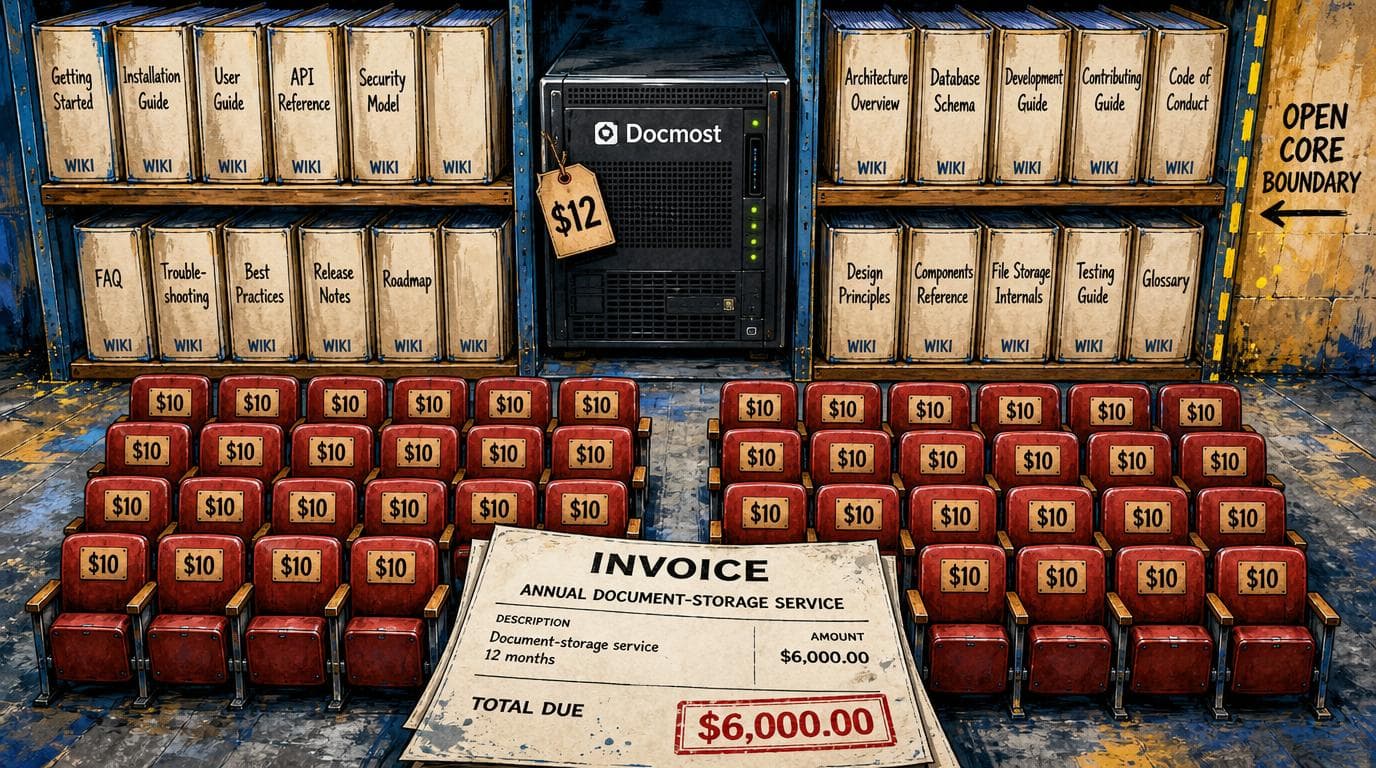
Your standard operating procedures, the onboarding checklist, and the page that explains how quoting actually works at your company probably live in Notion. For a 25-person team on the Plus plan, that ran about $3,000 a year. Then Notion moved its AI features into the Business tier and retired the standalone add-on that used to bolt onto any plan, so the plan most teams now actually want costs $20 per person per month on annual billing. That is roughly $6,000 a year for the same 25 people writing the same documents they were already writing. Docmost is an AGPL-licensed wiki that does the documentation half of that job on a server costing about $12 a month, and that number does not move when you hire your 26th person.
That is the pitch, and it is where most coverage of this repo stops. The rest of it is the part that decides whether you should actually do this.
What changed on the bill
Notion's current plan table puts the AI capabilities, the agent, the meeting notes, the search across your workspace, on Business. Free and Plus show a limited trial rather than full access. The standalone AI add-on that any plan could buy is gone, consolidated into the tier.
Read that as a buyer rather than as a pricing analyst and the picture is simple. If your team uses Notion purely as a place to put words, Plus at $10 a seat on annual billing is unchanged and you have no problem. If anyone on your team has started relying on the AI to summarize a meeting or find the answer buried in a page nobody has opened since March, you are being walked to $20. The document storage did not get better. The thing bolted onto the document storage did, and it took the base plan with it.
This is the pattern worth naming, because it is going to keep happening. Software you already bought grows an AI layer, the AI layer lands on a higher tier, and your renewal quote arrives with a number that assumes you want it. The question stops being "is this tool good" and becomes "am I paying a documentation bill or an AI bill, and did I mean to."
What Docmost is, and what it is not
Docmost is a collaborative wiki. Spaces, nested pages, real-time editing, permissions and groups, comments, page history, full-text search, file attachments, and diagrams through Draw.io, Excalidraw and Mermaid. It embeds the usual outside things (Airtable, Loom, Miro) and ships in more than ten languages.
What it is not is a Notion clone. This matters more than the feature checklist suggests. Notion's actual power for most teams is not the pages, it is the databases: relations, rollups, the filtered view of a table that becomes a lightweight CRM or a content calendar or an applicant tracker. That is the thing people build their operations on top of, and it is the thing that makes leaving Notion hard.
Docmost has a Bases feature with Kanban and Table views, and it landed in version 0.95.0 on July 3. It is also a commercial-edition feature, which is to say it is not in the part you get for free. So if the reason you are on Notion is the databases, Docmost self-hosted does not replace your Notion. It replaces the documentation half and leaves the other half where it was.
That is a real answer and it disqualifies a lot of teams. Good. A tool that honestly covers sixty percent of what you use is a better purchase than one that claims a hundred and covers sixty.
The project is not a weekend experiment. The commit history runs through August 27 with multiple commits most days, including translation syncs, a Redis URL parsing fix, and group member search. It has roughly 21,500 stars and about 1,500 forks. Whatever else is true, nobody has abandoned this.
The setup, in real hours
The repository ships a Docker Compose file that runs three containers: the Docmost application, PostgreSQL 18, and Redis 8. There are three values you have to change before it will run, and the file names all of them: APP_SECRET (a long random string), POSTGRES_PASSWORD, and APP_URL.
If you stop there, on a laptop, you are looking at fifteen minutes. That is also not a deployment, it is a demo.
The honest number for a real installation, on a real server, that your team can reach at a real address, is two to four hours the first time. The Compose file is the easy part. The hours go to standing up the box, pointing a domain at it, terminating TLS in front of the app so it is not serving your internal documentation over plain HTTP, and setting up backups you have actually tested by restoring one. None of that is hard. All of it is unfamiliar if you have never done it, and the failure mode is not an error message, it is a wiki that works fine for five months and then loses a database nobody was snapshotting.
So be clear about which of the two paths you are on. If someone on the team is comfortable in a terminal, this is an afternoon and the walkthrough in the project's docs is genuinely followable. If nobody is, the realistic options are a managed platform that deploys the Compose file for you, or the project's own hosted version, which is a per-seat subscription again and therefore a different decision than the one this article is about. Self-hosting to save a subscription and then buying a subscription to avoid self-hosting is a circle, and it is fine to notice you are in it.
What it actually costs
Three containers, one of them a Postgres instance, means you are not running this on the cheapest box on the menu. Two gigabytes of memory is the sensible floor. That is about $12 a month at DigitalOcean or Vultr, and closer to $5 at Hetzner if you are willing to be in Europe or read a slightly less friendly control panel.
Add a domain, call it $15 a year. Add object storage or a backup target, a few dollars. Round the whole thing to $150 to $200 a year for a team of any size that fits comfortably on one small server, which at this workload means well past 25 people.
Against $6,000 a year for 25 Notion Business seats, the arithmetic is not subtle. But the number that matters is not the difference, it is the difference minus your time. Four hours to set it up, then call it an hour a month for updates, backups checks, and the afternoon in month seven when a release changes something and you have to read a changelog. That is roughly sixteen hours a year. Price your own hour honestly and subtract. For most operators the answer is still strongly in favor of self-hosting, but it is a smaller win than the raw subscription difference, and anyone selling you self-hosting without that subtraction is selling.
Where the open core stops
This is the section that decides it, and it is the one the repo's own trending coverage skips.
Docmost is dual licensed. The core is AGPL 3.0, verified in the license file itself. Everything under apps/server/src/ee, apps/client/src/ee and packages/ee is under a separate Docmost Enterprise license.
Now look at what lives on the enterprise side of that line, reading the release notes in order. Bases with Kanban and Table views. Personal spaces. DOCX export. Templates. PDF import. SCIM provisioning. AI chat. And, as of the pull request merged on August 26, the OAuth layer for the official MCP server, which is the piece that would let an AI agent read and write your wiki. Docmost's own documentation is explicit that MCP requires an active enterprise license and has to be switched on by a workspace admin.
Put those in a row and a pattern appears. The features behind the license are disproportionately the ones a team wants at forty people rather than at eight: single sign-on provisioning, templates so everyone writes the runbook the same way, exports for the client who demands a Word file, and the agent integration. The free tier is genuinely good and it is genuinely a wiki for a small team. It is not a free version of the thing you will want in two years.
There is a workaround on the agent question specifically, and it is worth knowing. Docmost has a REST API, and there are community MCP servers built against it, including MrMartiniMo/docmost-mcp, that authenticate with an ordinary account and let a client like Claude Code list spaces, search, and pull page content back as Markdown. So pointing an agent at your self-hosted wiki is possible on the community edition. You are just doing it with somebody's side project rather than the maintained path, which is a fine trade for an internal tool and a bad one for anything you would put in front of a client.
Who keeps this running, and where your documents sit
The bus factor is the question nobody asks about a repo until it matters. Docmost's development is concentrated in a small core, with the lead maintainer authoring the significant work including the MCP pull request above. That is normal for a project this size and it is not a reason to walk away. It is a reason to be clear about what you are buying: AGPL means the code cannot be taken from you, so a project that stalls leaves you with a working wiki and a frozen feature set, not a shutdown notice. That is a materially better failure mode than a SaaS vendor getting acquired. It is not the same as safe.
On the data, the trade is exactly what it looks like. Your documents sit on your server, which is the entire point if your wiki holds client contract terms, pricing logic, or anything covered by an agreement you signed. Nobody is training on it and no vendor's outage is your outage.
The other half of that sentence is that backups, patching, and the breach response are now yours. You are not just saving a subscription, you are replacing a security team you were renting without thinking about it. For an internal wiki behind a login, on a patched box, with tested backups, that is a manageable job. Be honest that it is a job.
One licensing note, since AGPL makes people nervous and mostly should not. Running Docmost internally for your own staff is ordinary commercial use and obliges you to publish nothing. The network clause in section 13 is about modifying the software and then offering that modified version to outside users over a network. Standing up a wiki for your own team does not trip it. Building your client portal on a hacked-up fork does.
The decision
If your team uses Notion as a wiki and the AI consolidation just moved you to a tier you did not ask for, Docmost is a real answer and the money is real. If your team uses Notion as a database, it is not, and no amount of star count changes that.
The useful thing here is not the $12 server. It is that the bill made you look at what you were actually using, and most teams find out they were paying workspace prices for a filing cabinet.
Sources
Every claim above traces back to one of these. Go read them yourself.
- 01docmost/docmost, open-source collaborative wiki and documentation software
GitHub / github.com / retrieved Aug 31, 2026
- 02Docmost LICENSE, GNU Affero General Public License v3
GitHub / github.com / retrieved Aug 31, 2026
- 03Docmost releases
GitHub / github.com / retrieved Aug 31, 2026
- 04Docmost commit history, main branch
GitHub / github.com / retrieved Aug 31, 2026
- 05feat(ee): MCP OAuth, pull request 2432
GitHub / github.com / retrieved Aug 31, 2026
- 06Notion plans and pricing
Notion / notion.com / retrieved Aug 31, 2026
- 07Docmost cloud pricing
Docmost / docmost.com / retrieved Aug 31, 2026
Suggested reading
Selected articles based on topic, tags, and skill focus across the library.
Git Articles
The star chart came back. It answers the wrong question.
GitHub took the stargazer list away in June and shipped a privacy-safe star history endpoint on September 4, so the charts in READMEs work again. The curve tells you one useful thing about a self-hosted tool, and it is not whether the project will still be serviceable in two years.
Git Articles
Ever Gauzy and the invoice that bills you for sending it
Harvest now charges a per-seat fee and then charges again for the invoices, projects, clients and tasks your timers produce. One consultancy's monthly bill went from about $130 to $2,110. Ever Gauzy does the same job on a server you rent for fifty dollars, and the catch is not the software.
Git Articles
Talivia and the question your analytics never answered
Knowing which channel produced the money in your payment processor normally costs a replay tool, an attribution product, and an engineering ticket nobody prioritizes. Talivia ships all three in one MIT repository, and the honest price is a twenty dollar server plus the pruning job nobody mentions.