
LibraryGit Articles2 min read
Give your repository an accessibility page people can use
GitHub now highlights ACCESSIBILITY.md on repository pages. Use it to make real support, known barriers, and a clear reporting path easier to find.
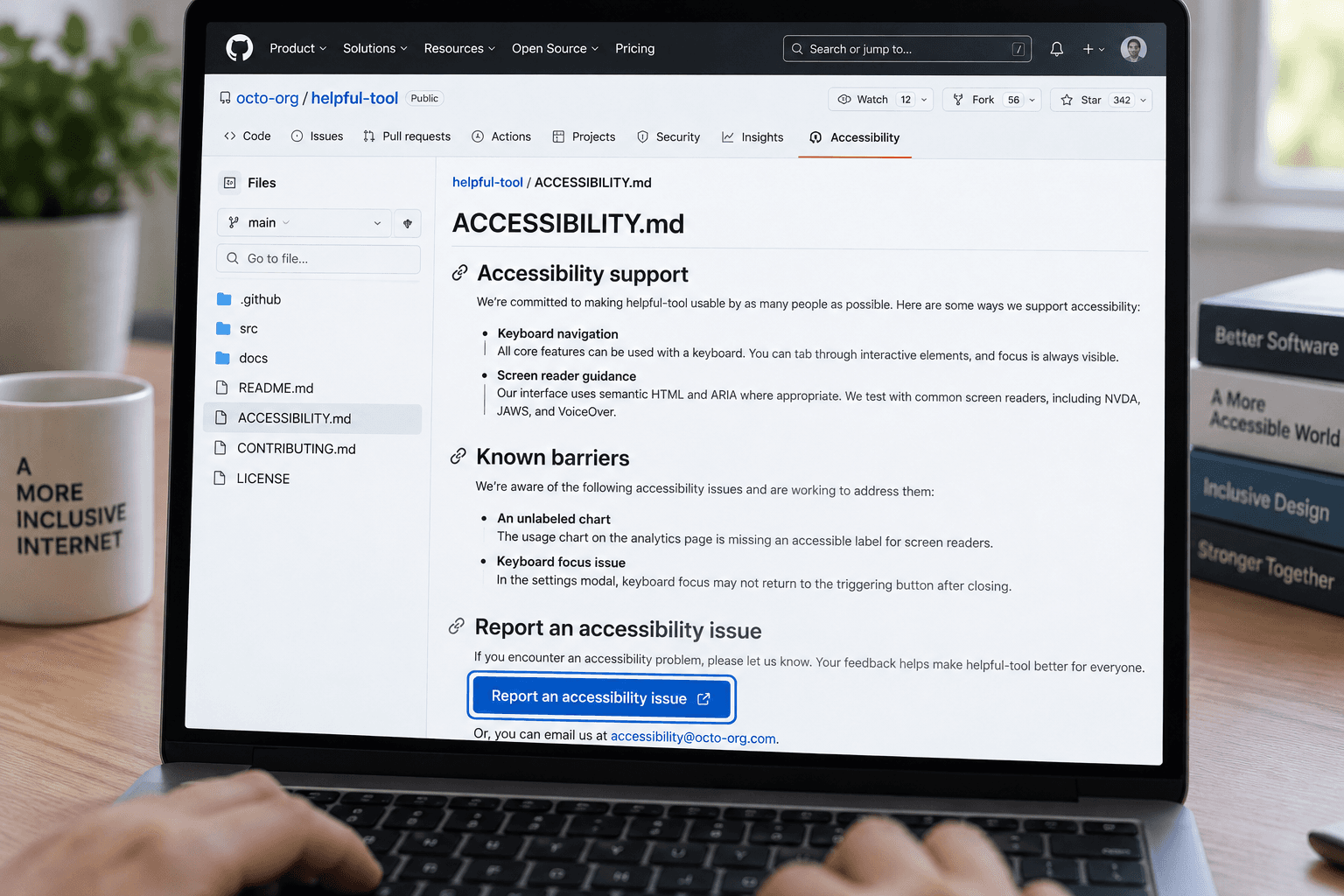
A repository can have accessibility work underway and still leave users guessing where to report a barrier, what environments have been checked, or what contributors should test. GitHub now gives that information a recognizable home: an ACCESSIBILITY.md file that appears on the repository overview.
The feature is available on GitHub.com across plans. GitHub looks for the file in .github/, the repository root, or docs/, in that order. An organization can also provide a shared statement through its .github repository. For public repositories, maintainers can start from a template under Insights > Community Standards. GitHub’s documentation explains the locations and setup.
The useful change is discoverability. A visitor does not have to know which issue label or contribution document contains the information. That is only valuable if the page answers practical questions accurately.
Write down what you can stand behind
A short statement can cover four things:
- What you support or have checked: Name relevant platforms, input methods, or assistive technologies only when you have evidence. Say what was evaluated and when.
- Known barriers and workarounds: Describe the affected task and link to an issue or other tracked work when possible.
- How to report a barrier: Provide a direct route and tell people what information helps. Make screenshots or recordings optional, and do not ask anyone to disclose a disability.
- What happens next: Explain who reviews reports and what updates people can expect. Promise only a response process the maintainers can sustain.
For an example with concrete workarounds and candid limits, read the GitHub CLI accessibility statement. It describes settings, known screen-reader barriers, a command-line alternative, and the scope of its testing. That level of detail is more useful than a general statement that accessibility matters.
Don’t turn a target into a claim
A project can name a standard it aims to meet, but a target is not proof of conformance. GitHub’s guidance says a conformance claim needs an evaluation that identifies its scope, date, method, and evaluator. Its announcement also recommends describing the project’s actual practices and limitations, rather than using a fixed template as a substitute for them.
Treat the file like other repository guidance: review it when support changes, a known barrier is fixed, or ownership moves. If nobody can keep a statement current, keep it narrower. Add the page when it helps people understand the project and report problems; don’t use its presence as a badge for work you haven’t verified.
Sources
Every claim above traces back to one of these. Go read them yourself.
- 01Adding an accessibility page to your repository
GitHub Docs / docs.github.com / retrieved Nov 06, 2026
- 02Accessibility statements highlighted on repository overview
GitHub Changelog / github.blog / retrieved Nov 06, 2026
- 03Accessibility statements now have a home on GitHub
GitHub Blog / github.blog / retrieved Nov 06, 2026
- 04GitHub CLI accessibility statement
GitHub CLI / github.com / retrieved Nov 06, 2026
Suggested reading
Selected articles based on topic, tags, and skill focus across the library.
Git Articles
GitHub Actions will block pull_request_target by default on December 2
GitHub plans to enforce a default block for pull_request_target in affected public repositories on December 2. Check which workflows rely on it before then.
Git Articles
Review the workflow the agent actually runs
GitHub Agentic Workflows turns a Markdown request into a GitHub Actions workflow that runs a coding agent. Before enabling one, review the generated workflow and decide which outputs need a person’s approval.
Foundational AI: Do's and Don'ts
Make a decision table before asking AI to apply a rule
When a work rule depends on several conditions, map the combinations and their outcomes before asking AI to apply it. The table can expose gaps your prompt would otherwise hide.