

LibraryFoundational AI: Do's and Don'ts3 min read
Make a decision table before asking AI to apply a rule
When a work rule depends on several conditions, map the combinations and their outcomes before asking AI to apply it. The table can expose gaps your prompt would otherwise hide.
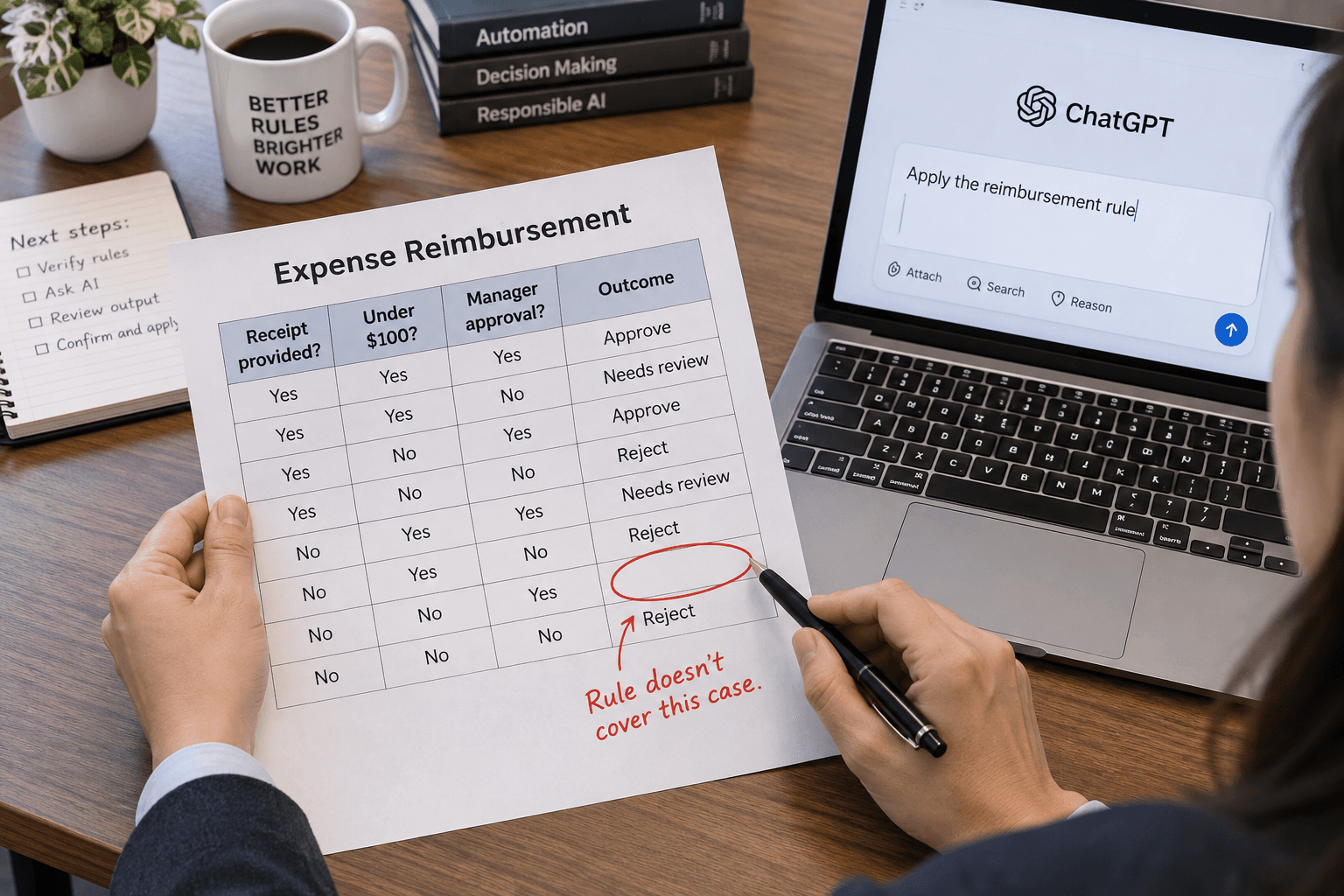
A policy can sound clear in a paragraph and still leave people unsure what to do when two conditions apply at once. Before asking AI to apply that policy, map the combinations in a decision table.
A decision table lists the conditions that affect an outcome and shows what action follows from each relevant combination. The ISTQB testing syllabus describes it as a way to record complex rules and says it can help reveal overlooked combinations and gaps in requirements. That’s a software testing technique. Applying the same idea to an operating rule is a practical adaptation, not a method ISTQB specifically evaluated for AI. Read the ISTQB syllabus section on decision table testing.
Map one rule before you prompt
Choose a low-risk rule your team already uses. For an illustrative example, imagine a company policy for routing purchase requests. The rule depends on whether the amount is within the employee’s delegated limit, whether the expense is in the approved budget, and whether the purchase is recurring.
Write the conditions down, then make one column for each combination that can change the outcome. A simplified table might look like this:
| Within delegated limit? | In approved budget? | Recurring purchase? | Route | | ----------------------- | ------------------- | ------------------- | ------------------- | | Yes | Yes | No | Standard approver | | Yes | Yes | Yes | Procurement review | | Yes | No | Either | Budget owner review | | No | Either | Either | Owner review |
This example is illustrative, not a real company policy. The owner of the rule would need to confirm that each combination and route is correct. If two rows could apply to the same request, write down which one takes precedence. If a combination has no agreed outcome, mark it as unresolved instead of asking AI to invent one.
Then give AI the approved table and a few sample requests. Ask it to identify the matching row, quote the conditions it used, and flag cases that do not fit. For example:
Apply this decision table to each request. Return the matching rule and route. If no rule clearly applies, say “needs owner review” and explain which condition or outcome is unclear. Do not approve, purchase, or change a record.
Check the map before using the answer
First, have the person who owns the rule review the table. Check whether any combination is missing, whether two rules conflict, and whether the routes match current authority. Next, try a few examples that exercise different rows, including one unresolved or unusual case. Compare AI’s result with the table yourself.
This helps you check whether the rule is explicit enough to apply. It does not prove that the policy itself is fair or sensible, and a model can still misread a condition or select the wrong row. Keep decisions involving money, customers, access, or exceptions with the authorized person. Use AI to apply a reviewed rule to bounded examples, and take unclear cases back to the rule owner.
Sources
Every claim above traces back to one of these. Go read them yourself.
- 01ISTQB Certified Tester Foundation Level Syllabus, decision table testing
International Software Testing Qualifications Board / istqb.org / retrieved Nov 07, 2026
Suggested reading
Selected articles based on topic, tags, and skill focus across the library.
Foundational AI: Do's and Don'ts
Separate what someone did from why you think they did it
AI can turn a late reply or missed deadline into a confident story about someone's intent. Keep the observed behavior separate from the explanation before it shapes a business decision.
Foundational AI: Do's and Don'ts
Use AI to check the cutoff, not just the easy cases
When a work rule changes at a number or deadline, ask AI to draft examples just below, at, and just above it. Check each result against the rule you own.
Foundational AI: Do's and Don'ts
Give AI a scope note before a review
When AI reviews only part of a report or record set, make that boundary visible before you use its conclusion. A short scope note helps you spot what the answer cannot cover.