

LibraryVibecoding News and Updates4 min read
Copilot cloud sessions follow you across clients. Check where the work runs.
GitHub connected Copilot cloud sessions across VS Code, mobile, the CLI, and other clients. Before handing off a task, check whether it runs on GitHub’s cloud or a machine you need to keep online.
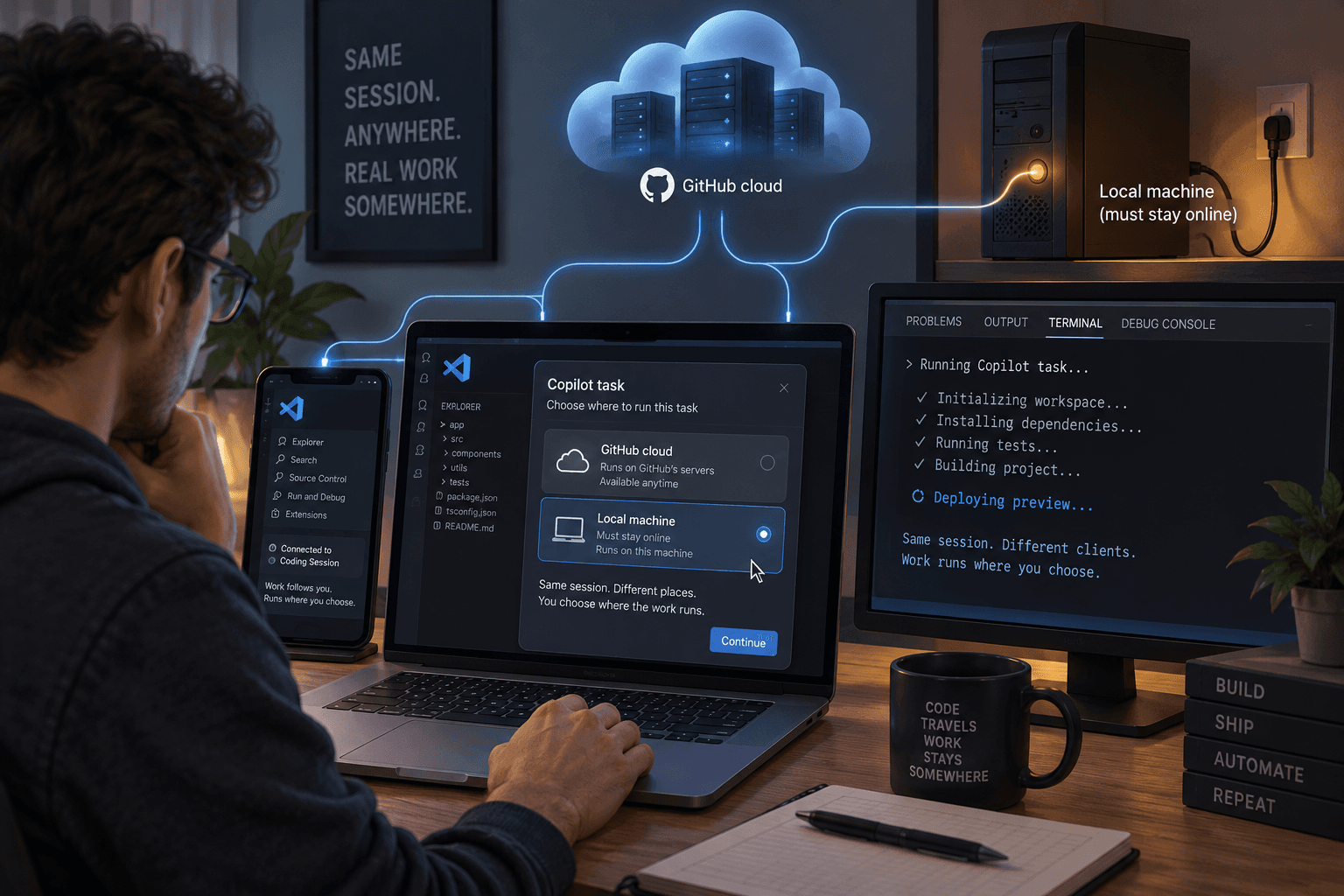
A coding agent can keep working after you leave your desk, but “session continuity” hides a practical question: where is the code actually running?
On October 28, GitHub announced a connected Copilot cloud experience. You can start a cloud task through GitHub.com, GitHub Mobile, VS Code, the Copilot CLI or app, and some Slack and Teams workflows, then pick up the same session in another supported client. GitHub says the cloud experience and its cloud sandboxes are generally available to paid Copilot users, subject to organization policies. The announcement describes a GitHub-managed sandbox that can save a snapshot so you can resume later.
That can make it easier to hand off a bounded coding task and check on it from another device. It does not make your local project magically follow you into the cloud.
Pick the environment before you hand off work
For a cloud session, you select a GitHub repository. The agent works in a separate environment on GitHub’s infrastructure. Your local uncommitted changes, files, installed dependencies, and terminal state are not automatically copied there. VS Code’s cloud-session guide calls out that boundary and says the cloud session uses its own tools and workspace.
That makes cloud a reasonable fit when the task can start from the repository on GitHub and you want managed compute that does not depend on your development machine staying online. It is a poor fit for unfinished work that exists only in your local folder, or for a task that depends on a local-only database, file, or extension tool. Commit or otherwise make the needed inputs available through an approved route before asking the cloud agent to use them.
You can also connect to an agent running on your own computer or a remote machine. In that case, the client may change while the workspace stays with the host. The host and its Agent Host process need to remain running and reachable. VS Code’s remote-session guide says connecting from another device does not copy the workspace or provide another machine.
The distinction is worth keeping plain:
- Cloud: GitHub manages the execution environment; your machine can be offline, but the agent starts from a separate cloud workspace.
- Your machine or remote host: the session can be reached from another client, but the machine, workspace, and host process remain part of the setup.
Continuity does not mean every setup carries over
VS Code 1.144 highlighted the shared session experience across the editor, CLI, GitHub Mobile, and other Copilot surfaces. It also added a number of adjacent agent features. The release notes distinguish those features and their rollout states, so do not read the whole release as one availability promise.
For example, GitHub’s new connected cloud experience is described as generally available on paid Copilot plans. VS Code’s documentation separately labels its Agent Host cloud-session feature experimental. Access can depend on your account, settings, and organization policy. And the cloud target currently supports the Copilot harness; choosing a model does not switch the session to the Claude or Codex harness. Check the current harness guidance before assuming a workflow or customization will behave the same in another environment.
There is a cost boundary too. GitHub says cloud sandboxes draw from a shared, dollar-based Actions compute entitlement, with each product keeping its own published rate. A task that continues after you close your laptop still consumes compute. Check your organization’s entitlement and policies before using cloud sessions for long or repeated jobs.
Use a small handoff to find the gaps
Choose a low-risk issue in a repository the agent can access. Write down what files it may change, what checks should pass, and what the person reviewing the work needs to see. Start the session from the environment you intend to use. If you choose cloud, confirm that the repository contains the necessary starting point and that no uncommitted local work is missing.
When the agent finishes, review the actual diff and run or inspect the checks that matter. A session that resumes in another client has preserved access to the conversation; it has not proved that the code is correct, that all tests ran, or that a permission request was appropriate. Keep the merge or release decision in your normal review process.
The useful choice is specific: use cloud when a separate GitHub workspace and managed compute fit the task; use a local or connected host when the current workspace and its tools matter. Before handing work off, check both where the agent will run and what it will be able to access there.
Sources
Every claim above traces back to one of these. Go read them yourself.
- 01Work from anywhere with a new, connected Copilot cloud experience
GitHub Changelog / github.blog
- 02Visual Studio Code 1.144
Visual Studio Code / code.visualstudio.com
- 03Run agent sessions in the cloud
Visual Studio Code / code.visualstudio.com
- 04Choose an agent harness
Visual Studio Code / code.visualstudio.com
- 05Copilot on GitHub.com and GitHub Mobile
GitHub Docs / docs.github.com
Suggested reading
Selected articles based on topic, tags, and skill focus across the library.
Vibecoding News and Updates
Copilot assisted permissions put a model between you and the command
GitHub made Copilot’s assisted permissions generally available in the CLI, app, and VS Code. The model can approve requests it judges clearly safe, so check what remains outside that judgment before relying on it.
Vibecoding News and Updates
Turn merged pull requests into a release note draft
A coding agent can help turn a selected set of merged changes into a release note draft. Keep the source links, verify what users will notice, and leave publication with a person.
Vibecoding News and Updates
VS Code local agent automations get custom schedules
VS Code 1.145 adds custom cron schedules and workspace custom agents to local automations. Check where the task runs and what permissions it has before scheduling it.