

LibraryFoundational AI: Do's and Don'ts9 min read
Keep disagreement visible in AI summaries
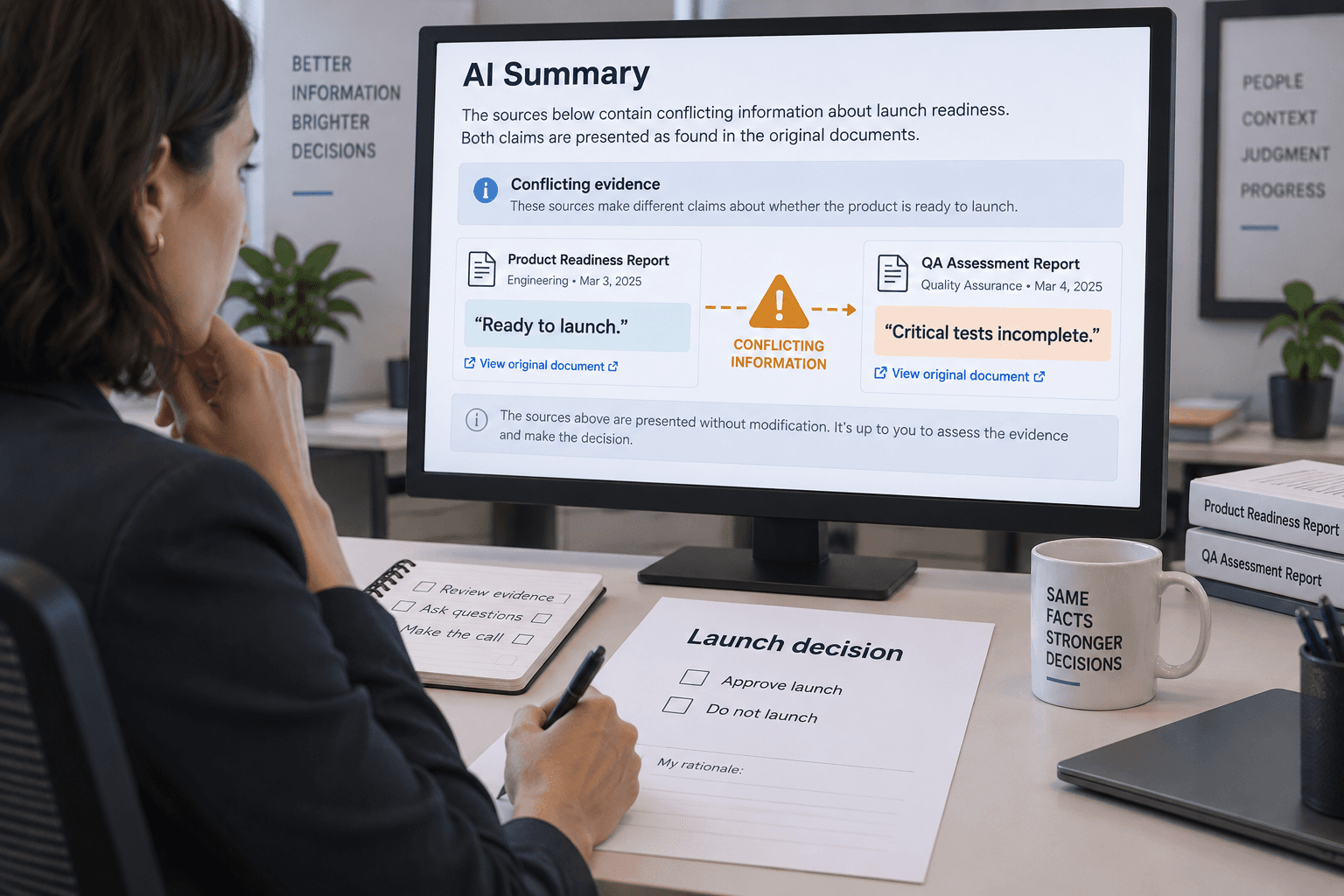
Two documents can both look authoritative and still tell your team to do different things. One says to send a payment reminder when an invoice is 30 days overdue. A manager’s email says to hold reminders on disputed invoices. Someone asks AI to “summarize the policy,” and gets a neat sentence: “Send a reminder after 30 days.” The exception disappeared.
The answer may sound reasonable. That’s exactly why this kind of summary needs a different check. When sources disagree, ask AI to show the disagreement, where each instruction came from, and what information is missing. Don’t ask it to make the two sources sound like one settled rule.
AI can help you compare material you provide. OpenAI’s file-upload guidance describes comparing documents and summarizing them as supported uses, while also telling users to review responses. The National Institute of Standards and Technology describes how generative AI can confidently produce false or inconsistent content, including when it diverges from its inputs. A polished answer is not evidence that the sources agreed.
Decide whether this is a summary or a decision
A summary describes what the material says. A decision chooses what your team should do. Those are different jobs, even if a prompt bundles them into one sentence.
If you ask “What’s our rule for overdue invoices?” you may be asking the model to do both. It has to find relevant text, decide which document takes precedence, resolve any conflicts, and state an operational rule. Unless that priority has already been established in the material you supplied, the last step belongs to a person who has the authority and context to decide.
Start by naming the job you actually want done:
- For a summary: “Show what each source says, including any differences.”
- For a decision: “List the conflict and the question I need the policy owner to resolve. Don’t recommend which instruction to follow.”
- For a confirmed rule: “Find the approved current rule and show the source and effective date that establish it.”
The third request only works if you have an actual source that identifies what is approved and current. A file named final-policy-v3 is a clue, not proof that it outranks an email from last week. If the documents don’t establish authority or order, a model can’t reliably create it for you.
Give the comparison a narrow boundary
You’ll get a more useful review if you tell the model exactly what material to compare and what decision is out of scope. Use documents you’re allowed to share with that AI tool. If you don’t have approval to put a policy, customer record, or internal message into it, don’t use the material there. A good comparison prompt doesn’t change your organization’s data rules.
For a small task, provide the two or three relevant sources rather than a large folder of background. Name each source with enough context to recognize it: “Collections policy, section 4, approved May 6” or “Message from the finance lead, June 12.” Include the effective date if the source gives one. Keep a copy of the originals open so you can verify what the model reports.
Then be explicit about the boundary:
Compare the supplied sources about overdue invoices. Do not decide which source takes precedence or create a combined rule. For each instruction, list the exact wording or a short quotation, source name, section or date, and who or what it applies to. Then list any direct conflicts, exceptions, missing dates, or terms that aren’t defined. If you can’t find support for a statement in the supplied material, label it “not found.” End with questions for the policy owner. Do not send reminders or update records.
The wording is an example you can adapt, not a guarantee that a model will follow every instruction. It helps set a review target: separate statements, sources, and unresolved questions. It also keeps an AI comparison from turning into permission to act.
Look for conflicts, not just matching phrases
Two sources don’t have to use opposite words to disagree. They can describe the same task at different levels, apply to different situations, or set different conditions.
Imagine that the policy says, “Send the reminder after 30 days overdue.” The finance lead’s email says, “Hold reminders on accounts under dispute until finance confirms the balance.” These instructions can fit together if the exception is kept. A summary that mentions only the 30-day rule is incomplete. A summary that says “Send reminders after 30 days unless the account is disputed” may be a reasonable reading, but it still assumes the email is an approved exception that applies to the policy.
Ask the model to show the pieces separately:
| Source | What it says | Scope or condition | What still needs checking | | ----------------------------- | ------------------------------------- | ---------------------- | -------------------------------------------------------------- | | Collections policy, section 4 | Send a reminder after 30 days overdue | Invoices generally | Whether another approved document adds an exception | | Finance lead’s email, June 12 | Hold reminders on disputed accounts | Accounts under dispute | Whether this is an approved rule, and who confirms the balance |
This table is only an illustrative comparison. It doesn’t establish that the email is binding or tell a real team what to do. The owner may confirm that the email is the current exception, say it was temporary, or discover that the written policy needs updating. Those outcomes depend on facts outside the text unless the sources establish them.
Ask the model to flag at least these differences:
- A direct contradiction, such as one source saying “send” and another saying “do not send.”
- An exception that narrows a general instruction.
- A different audience or situation, such as one rule for new accounts and another for existing customers.
- A timing difference, including when a rule starts or expires.
- A missing definition, such as what counts as “disputed.”
- A source that mentions an action but not who owns or approves it.
Not every difference is a real conflict. Two sources may address different cases, or one may explain a step the other leaves out. The point is to make the possible difference visible so a person can decide whether it matters.
Check the answer against the originals
A source label or quotation in an AI response is a pointer to inspect, not a stamp of approval. Open the cited section. Check that the words appear there, that the surrounding text doesn’t change their meaning, and that the source applies to the situation in question.
NIST’s Generative AI Profile calls out confabulation: generated content that may be confidently wrong, inconsistent with the prompt, or contradictory within the same context. It also notes that generated citations or explanations can themselves be misleading. That’s why “the model gave me a source” and “the source supports this conclusion” are two separate checks.
For each statement that could affect what someone does, ask:
- Can I find it in the original? Follow the page, section, message, or record reference. If the source is too broad to locate, ask for a more precise reference and confirm it yourself.
- Does the surrounding text preserve the meaning? A sentence pulled out of a paragraph may leave out an exception, condition, or definition.
- Does it apply here? A rule for one customer type, business unit, or date may not cover the case in front of you.
- Is the source still in force? Check effective dates, approval status, and superseding documents using your team’s normal process.
- Did the model add a bridge the source doesn’t support? Watch for “therefore,” “so the rule is,” or other connecting language that resolves a gap by assumption.
If the model cannot give a reliable reference, don’t treat that sentence as evidence. Go back to the original material or ask the person who owns it.
Keep the decision with the owner
Once you have a conflict table, send the policy owner a question they can answer. You might ask: “The collections policy says to send a reminder after 30 days. The June 12 finance email says to hold reminders on disputed accounts. Is that email an approved exception? If so, who confirms when the dispute is resolved?”
That is a better handoff than “AI found a conflict; what do we do?” It identifies the sources, the relevant difference, and the unanswered decision. The owner can confirm a rule, correct an outdated document, or ask for more facts. Record the answer where the next person doing the task can find it. If the decision changes a written process, update that process through the usual approval route instead of treating the chat transcript as the policy.
Keep the model’s comparison and the owner’s decision distinct. The model can help organize evidence. The owner establishes what the team is authorized to do. If there is no identified owner, that is part of the problem to resolve; another prompt cannot supply authority.
And if the task has a real consequence—money going out, a customer being contacted, a record being changed—keep the action itself behind the normal human approval. Asking a model to “only compare” is useful scope, but it doesn’t prove the tool has no ability to do more. Check the actual permissions and keep the requested task away from send, approve, delete, or update actions where you can.
When not to use AI for the comparison
Sometimes the simplest option is to read the two short documents yourself. AI adds little if you can spot the one difference faster than you can prepare the files and inspect the output.
Skip the model or use an approved specialist when the sources involve legal obligations, safety procedures, employment decisions, regulated records, or a high-impact customer commitment and your review process calls for expertise. A tidy conflict table can make the question easier to see; it does not replace that process.
Also pause if you cannot tell whether the sources are complete. A model can only compare what it can access. If an attachment is missing, a link is inaccessible, a scanned page didn’t extract properly, or the relevant decision sits in a conversation you didn’t provide, an apparently complete answer may just reflect an incomplete record. Ask it what material it actually used, then check that against the source list you intended to provide.
Keep the disagreement visible until it’s resolved
For your next policy comparison, don’t ask AI to “make these sources consistent.” Ask it to list what each source says, point to where it says it, mark conflicts and gaps, and prepare questions for the person who owns the rule. Verify the important parts in the original, then record the owner’s decision in the right place.
If the sources agree, you’ll have a more reviewable summary. If they don’t, you’ll have a clearer question instead of an invented compromise. Until someone with authority resolves it, keep the disagreement visible and don’t turn the summary into an instruction for the team.
Sources
Every claim above traces back to one of these. Go read them yourself.
- 01Artificial Intelligence Risk Management Framework: Generative Artificial Intelligence Profile
National Institute of Standards and Technology / tsapps.nist.gov / retrieved Oct 19, 2026
- 02Uploading files and audio to ChatGPT
OpenAI Help Center / help.openai.com / retrieved Oct 19, 2026
Suggested reading
Selected articles based on topic, tags, and skill focus across the library.
Foundational AI: Do's and Don'ts
When AI gives a different answer, check what changed
Two AI answers to the same work request can use different words. Judge whether the difference changes a fact, a commitment, or a next step before deciding which draft to use.
Foundational AI: Do's and Don'ts
Put events in order before asking AI to summarize them
When notes describe the same job out of order, ask AI to build a dated event list before it summarizes. Then check the sequence against the original records.
Foundational AI: Do's and Don'ts
Turn a recurring request into a prompt with slots
For work you ask AI to do again, keep the instructions stable and mark the details that change. A few named slots make the request easier to reuse and review.