

LibraryFoundational AI: Do's and Don'ts10 min read
Define your team's terms before asking AI to write
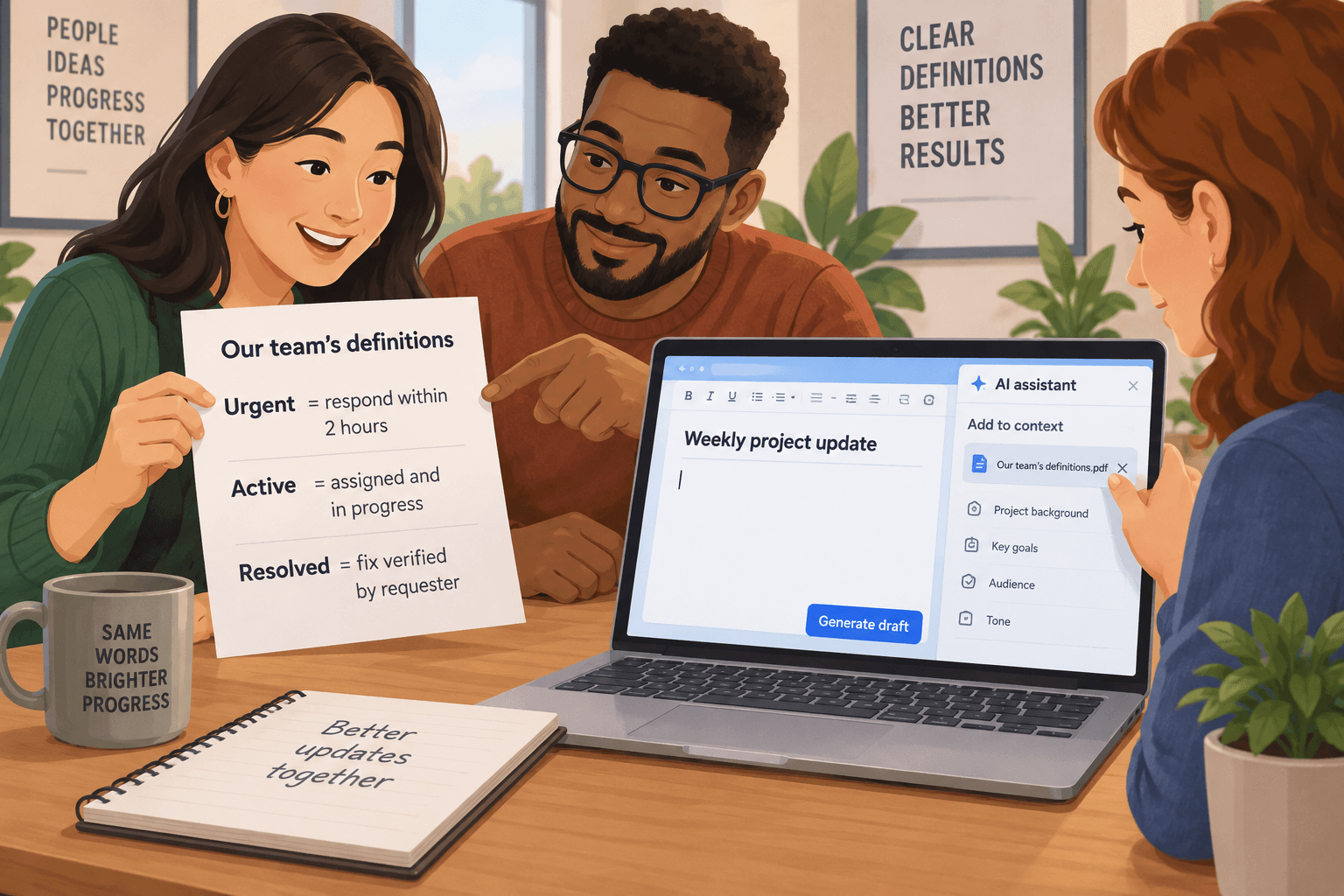
A team asks AI to turn a set of service notes into a weekly update. The draft says, “Three urgent cases remain active.” Everyone reading it knows those words. The trouble is that nobody agreed what they mean.
To one person, “urgent” means a customer is blocked. To another, it means the request came from a large account. “Active” might mean someone is working on it, or simply that it hasn’t been closed in the tracking system. The draft sounds clear, but it may be combining different definitions.
Before asking AI to use a team label, tell it what that label means in this piece of work. A short glossary, plus a couple of examples, can help the model follow your intended language. It won’t settle a disagreement in the team or make an incomplete record accurate. It does make the ambiguity easier to see and correct.
Familiar words can hide different rules
Most workplaces don’t speak in formal definitions all day. People use shorthand because it saves time with colleagues who share enough context. That shorthand can become unreliable when a task crosses teams, gets handed to a new person, or is given to an AI system without the missing context.
Take “qualified.” In a sales team, it could mean a contact met a minimum score, a seller confirmed a need, or a manager accepted an opportunity. Those are different events. A draft that calls all three “qualified” can make a funnel look larger or more certain than the underlying records support.
Or take “complete.” A marketing request might be complete when the copy is approved, when the campaign is scheduled, or only after it has been sent and checked. If AI writes a project update using that word without a definition, it may turn a partial milestone into a finished task.
This is not a special flaw unique to AI. People can misunderstand shorthand too. The model just gives you another reason to make the rule explicit when the output will be shared or used for work. OpenAI’s current guidance for ChatGPT recommends giving a prompt enough context and being clear about what you’re asking. Its prompting guidance for the API also recommends specific instructions and examples. That’s practical advice, not a guarantee that a prompt will be followed perfectly.
Define only the words that can change the meaning
You don’t need a company dictionary before you can use AI. Start with a small task and identify the terms that could change the reader’s interpretation. Usually that means a label that groups work, describes progress, or implies a decision.
Ask yourself:
- Would two reasonable people apply this word differently?
- Could the difference change a count, priority, promise, or next step?
- Will someone outside the immediate team read the output?
If the answer is yes, define it for this task. Use language the team already understands, and state what evidence should support the label. For example:
| Team term | Meaning for this update | Evidence to look for | | ---------- | ---------------------------------------------------------------------------- | ---------------------------------------------- | | urgent | A customer cannot continue the agreed work until this issue is addressed. | A recorded blocker and its effect. | | active | A named person has begun work and the item has not been closed. | An owner and a recent work update. | | complete | The requested work is finished and the result has been checked by its owner. | A completion note and a review or test record. |
These are illustrative definitions, not standards for every organization. A support team may have a formal severity scale. A sales team may already define qualification in its operating process. Use the definitions your organization actually chose. If it has no shared rule, say that plainly and agree on one before using AI to produce a metric or status report.
Notice that the table doesn’t ask the model to decide whether a business consequence is acceptable. It gives a bounded meaning for a word and identifies what to look for. Whether the evidence meets that meaning remains reviewable by a person who understands the work.
Show the boundary, not just the label
A definition can still leave room for interpretation. If the boundary matters, include examples on either side of it. Use real examples only if you’re allowed to share them with the AI tool. Otherwise, make up a clearly labeled example that mirrors the structure without exposing actual names, records, or confidential details.
For instance, a team may define a “blocked” request as one where the requester cannot make progress until another person or system acts. A request that is simply waiting for a convenient review is not necessarily blocked. That distinction can be written as a small pair:
- Blocked: “The invoice cannot be submitted because the vendor record is missing a required tax ID.”
- Waiting: “The invoice is ready for review; the finance lead has not opened it yet.”
The point isn’t to train the model on every case the team has ever seen. It’s to make the intended dividing line visible. If the example doesn’t match the team’s rule, fix the rule before putting it in a prompt or reusable instruction.
Here’s an illustrative request for turning notes into a weekly update:
Use the definitions below only for this update. “Blocked” means the owner cannot continue without an action from another person or system. “Complete” means the owner says the requested work is finished and the result has been checked. Use “waiting” when the next action is known but has not happened. For each item, include the source note that supports the status. If the note does not establish a status, write “unclear” and quote the missing information. Do not treat a deadline or an old status label by itself as proof that work is blocked or complete. Definitions and examples: [insert the team-approved terms] Notes: [insert approved notes]
The request tells AI how to use the terms, how to handle a gap, and what to return for review. It still needs a human to check whether the source note is current, whether the requested definitions are the right ones, and whether the result should be shared.
Review the examples before you reuse them
A glossary can help with consistency, but it can also preserve a bad rule. A definition may no longer match how the team actually works. One example may reflect an unusual case. A phrase may carry a different meaning for another group. Treat the glossary as an aid to a task, not as an authority that silently changes policy.
Before reusing a term list, ask the person who owns the process to confirm it. If a term affects customers, compliance, billing, staff evaluation, or another consequential decision, make clear who is responsible for the definition and who can approve a change. Keep the source of the definition visible, such as the team procedure or named process owner. Don’t ask AI to invent a policy because the prompt contains a missing definition.
NIST’s AI Risk Management Framework treats the context and intended use of an AI system as part of understanding and managing its risks. Its guidance calls for the task, business context, knowledge limits, and human roles to be considered. That framework is broader than writing a short prompt, but the basic lesson applies: the meaning and consequence of an output depend on where and how people use it.
For a low-stakes internal summary, the definition can be lightweight and the reviewer can correct a mismatch directly. For an output that affects a customer or a decision, a prompt alone is not a control. Use the organization’s approved process, preserve the source record, and make sure a responsible person can review or challenge the result. A model may consistently apply your wording and still apply wording that the team should change.
Don’t turn uncertainty into a neat label
A common temptation is to make every item fit a category because the output looks cleaner that way. Resist it. If a note doesn’t say who owns the next action, the model shouldn’t invent an owner to make a status complete. If you can’t tell whether “priority customer” means a contract tier or a recent support escalation, the model shouldn’t choose the meaning that sounds most likely.
Give the system a useful option for cases that don’t fit. Depending on the task, that might be “unclear,” “needs owner confirmation,” or “definition not provided.” Ask it to include the evidence it used and the missing detail that would settle the label. Then review those cases with the person responsible for the work.
This protects the distinction between a real exception and an artificial one. If many records come back as unclear, that may mean the source notes are incomplete, the definition is too vague, or the task needs a different method. Don’t respond by telling the model to guess more confidently. Find out which of those problems you actually have.
Also avoid putting a definition in a prompt if it conflicts with a tool’s actual fields or the organization’s approved policy. A prompt can clarify how to prepare a draft; it cannot change what a system records or who has authority to approve an action. If the task requires a definitive status, use the appropriate system of record and process rather than treating generated wording as an official update.
Try a five-minute definition check
Choose one small, low-risk task you already do with AI, such as drafting a weekly summary from approved internal notes. Don’t start with a task that changes records or makes decisions about people.
- Pick one ambiguous word. Look for a label that appears in the output and could mean two things to colleagues.
- Ask two people what they think it means. If their answers differ, write down the difference. That’s evidence the term needs a shared definition for this task.
- Agree on a task-specific meaning. Name the evidence that supports it and who owns the definition. If the team can’t agree, don’t pretend that AI can resolve the disagreement.
- Give the definition and one boundary example to AI. Ask it to use the term only when the source supports the definition. Give it a clear way to report uncertainty.
- Review a few outputs. Check the source note, the label, and the wording AI generated. Include at least one case near the boundary, if you have an approved example.
- Decide what to keep. If the definition made the output easier to interpret, keep it with the task instructions and its owner. If it didn’t, simplify the rule or keep the existing manual wording.
This is not a controlled evaluation of a model. It’s a quick way to see whether a missing team definition is contributing to confusing drafts. A couple of examples can reveal a problem; they can’t establish that a workflow will handle every future case correctly.
Keep the glossary small and attached to the work
If the exercise helps, keep the definitions close to the recurring task where people need them. A short note in an approved procedure or task template is easier to find than a sprawling list of prompt tips. Include the task it applies to, an owner, the date it was reviewed, and any important exclusions. Update it when the team changes its process.
Don’t copy sensitive records into a shared glossary just to create examples. Use approved, minimal examples, and check the tool’s data rules before sharing internal material. A definition can usually be taught without customer names or complete case histories.
There’s a fair case for doing none of this on one-off, low-stakes work. If you’re asking AI to brainstorm alternative headings, the team may not need a formal definition of “engaging.” The extra setup costs time, and the cost is hard to justify when the wording won’t guide a decision or be reused. The effort is most useful when the same terms recur, several people depend on the output, or a label could change what someone does next.
The choice is simple: when a team word carries a specific rule, write down that rule before asking AI to apply it. Keep the definition narrow, show where the boundary sits, and let uncertainty stay visible. Then check whether the resulting language matches the work your team actually agreed to describe.
Sources: OpenAI’s prompting guidance for ChatGPT, OpenAI’s prompt engineering best practices for the API, and NIST’s AI RMF Core.
Sources
Every claim above traces back to one of these. Go read them yourself.
- 01Prompt engineering best practices for ChatGPT
OpenAI Help Center / help.openai.com / retrieved Oct 21, 2026
- 02Best practices for prompt engineering with the OpenAI API
OpenAI Help Center / help.openai.com / retrieved Oct 21, 2026
- 03AI RMF Core
National Institute of Standards and Technology / airc.nist.gov / retrieved Oct 21, 2026
Suggested reading
Selected articles based on topic, tags, and skill focus across the library.
Foundational AI: Do's and Don'ts
Make AI document answers traceable before you rely on them
AI can find a useful passage in a long policy or procedure. Ask it to show the exact wording and location, then check the surrounding text before acting.
Foundational AI: Do's and Don'ts
When AI gives a different answer, check what changed
Two AI answers to the same work request can use different words. Judge whether the difference changes a fact, a commitment, or a next step before deciding which draft to use.
Foundational AI: Do's and Don'ts
Tell AI what a useful answer looks like
Before asking AI to sort operational notes, define the shape of the answer you need. A small output contract makes gaps easier to spot and the result easier to use.