

LibraryVibecoding News and Updates10 min read
Ask an agent to check one staging user journey
A signup button looks right in a screenshot. That doesn’t tell you whether the form accepts the expected input, shows a useful confirmation, or leaves the page in a state a person can understand.
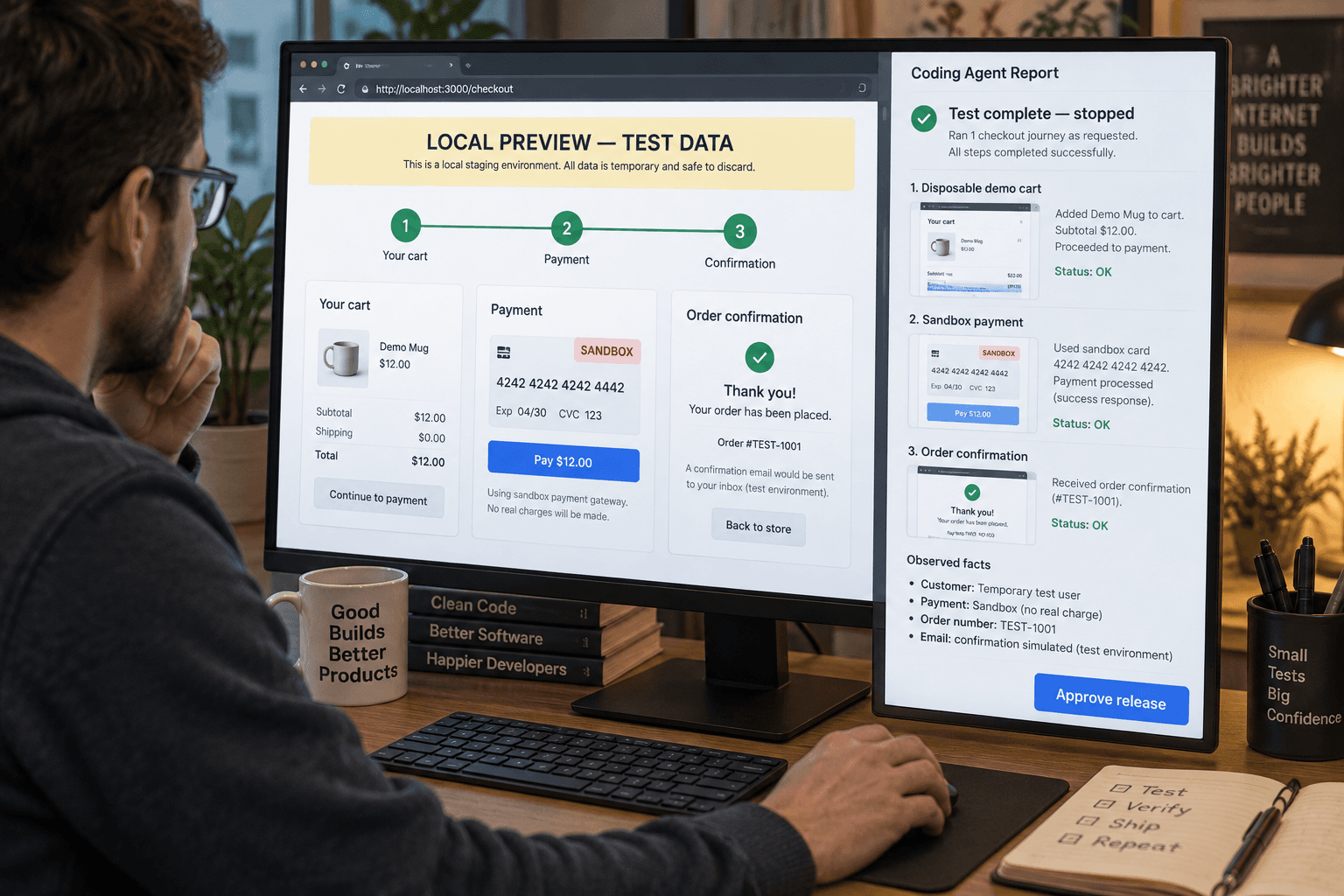
A browser agent can help check one narrow path through a local preview and return the steps and observations for a person to review. Think of it as a proposed smoke check: the agent follows a script you define, reports where the path succeeds or stops, and leaves the release decision to you. This is an illustrative workflow, not a report of a build I made or a test I ran.
GitHub documents that Copilot cloud agent has a Playwright MCP server available by default. It can read and interact with web pages and take screenshots, but in the cloud-agent environment it can access only web resources in its own environment through localhost or 127.0.0.1. That restriction matters: the workflow below is for a preview running in that environment, not a way to point the agent at a customer’s live site. GitHub’s MCP documentation describes the available tools and their access boundary.
Choose a journey small enough to judge
Start with one question a user needs the interface to answer. For example: “Can a person complete the contact form with valid details and see a confirmation that explains what happens next?” That question is narrower than “test the whole site,” and it gives you a visible result to check.
Write down the path in ordinary language before asking an agent to use the browser:
- Open the local preview at a known route.
- Find the contact form.
- Submit the approved test values.
- Confirm the page displays the expected confirmation.
- Stop and report what happened.
Be specific about the expected text or page state. If the confirmation is supposed to say that the message was received and that a reply will follow, say so. If the path should stop when a required field is blank, describe the expected validation message. The agent should compare what it sees with your acceptance conditions, not invent a definition of “works.”
This is a good fit for a team champion or developer who can run the project locally and knows what the journey is meant to do. It can make a routine check easier to repeat, especially when the browser path has several visible steps. It is a poor fit when the behavior itself is still undecided, the expected result depends on a policy discussion, or the test needs to touch real customer accounts.
Prepare the preview and test data
Before involving an agent, confirm that the preview runs and that its test data is disposable. Use a local development or test configuration with fake names, addresses, and records. If submission normally sends an email, creates a CRM record, charges a card, or starts another external action, configure the local test environment to capture or suppress that effect. Don’t assume that a page is safe just because its address says “preview.”
Keep secrets and real customer information out of the prompt and test data. The browser may read text and screenshots from the page, and the agent’s report may repeat what it saw. For this journey, it shouldn’t need access to a production account, private mailbox, live payment method, or broad repository credential. If the preview cannot run without real data or an external action, stop and ask the system owner for an approved test setup instead of improvising around it.
The tooling also depends on where the agent runs. GitHub’s cloud agent has a documented default Playwright MCP connection for pages in its own environment; this doesn’t mean it can reach your laptop’s localhost from GitHub.com. If you are using cloud agent, the preview has to be available at the allowed loopback address inside that environment. An IDE agent may have a different setup and permissions. Check the instructions for the surface you use rather than assuming the same browser connection works everywhere.
If you need to configure a separate MCP server, review what tools it exposes, what authentication it needs, and which data it can access. GitHub says cloud agent calls configured MCP tools autonomously without asking for approval first, and recommends allowing only tools the task needs, preferably read-only tools. For a browser journey that must submit a form, grant only the limited interaction needed in an isolated preview. GitHub’s configuration guidance explains those controls. A prompt asking the agent to be careful is not a substitute for restricting access.
Give the agent a bounded assignment
A useful request names the starting point, the expected result, the allowed actions, and the stop condition. For example:
Check the contact form journey in the local preview at http://127.0.0.1:3000/contact. Use only the fake values in this task. Submit the form once. Confirm whether the page displays “Thanks, we received your message” and whether the next-step text is visible. Do not open external links, use other accounts, change settings, edit files, or retry a submission. If the page would send real data outside this local test environment, stop without submitting. Return the steps you took, the visible result at each step, any error or mismatch, and a screenshot of the final state if available. Do not decide whether the release is ready.Adapt the route and exact expected text to your application. Don’t paste generic instructions that claim a browser run is harmless. The agent must know which environment it is in and what effect submission could have. If you cannot tell whether the form is connected to a real service, the safe action is to inspect the setup or stop before submitting.
The job has three parts: inspect the page, perform the one allowed path, and compare the visible result against your stated checks. It does not include changing the application, creating test accounts, sending a message to a real team, or trying to bypass a failed step. If you want a code change, make that a separate task after reviewing the evidence. Keeping the test separate from the fix makes it easier to tell whether the problem was reproduced and whether a later change addressed it.
GitHub’s own tutorial for an agent-assisted development lifecycle describes a similar browser-testing step: a developer asks Copilot to outline scenarios, runs tests against a local build through Playwright, watches the agent interact with the UI, and reviews what it finds. The tutorial is an example of a workflow, not proof that every application or test will behave reliably. The tutorial also keeps the pull request and human approval after the browser check.
Review observations, not confidence
When the agent finishes, read its report alongside the page and any screenshots. Look for a sequence you can reproduce: route opened, control selected, input submitted, visible response observed. If it says “passed” but doesn’t identify what it saw, ask for the concrete observation or repeat the check yourself.
Compare each observation with the criteria you wrote down. Did the form reject a missing required field? Did a valid submission show the intended confirmation? Was the next step visible without hunting through the page? If the answer relies on an image, inspect the image at a useful size. A screenshot can show a visible state, but it doesn’t establish what happened behind the page or whether a record was actually saved.
Keep three kinds of result distinct:
- Observed: the agent saw a particular label, message, or page state.
- Not observed: the expected state did not appear, or the agent could not reach it.
- Unknown: the browser could not establish what happened, perhaps because a request timed out or the local service was unavailable.
“Not observed” is not always proof of a defect. The environment may have started incorrectly, the test account may be missing, or the agent may have taken a wrong path. “Observed” is not always proof of correctness either. A confirmation message might appear even if a backend operation failed. If your acceptance condition includes delivery or persistence, check that with an approved test system or a human who can inspect it.
Don’t let a second AI review turn the first answer into certainty. A separate code review can point out likely issues in a proposed diff, but GitHub says Copilot pull requests need the same thorough review as any contribution. Its default review does not count as a required approval, and Actions workflows don’t run automatically for Copilot’s pull requests unless someone approves them. Read the proposed changes and decide deliberately whether the workflow run is safe. GitHub’s review guidance spells out those boundaries.
Recover without turning one check into many actions
If the agent cannot open the preview, don’t let it keep clicking or retrying a submission. Check that the preview is running at the expected address, that the route is correct, and that the browser tool has the documented access. Then start a new attempt only after you know what failed and whether another submission could create a side effect.
If the page shows an unexpected error, save the exact text and the step where it occurred. That gives a developer a useful handoff. A request timeout can mean the service was unavailable, not that the form rejected the data. If a submission might have gone through despite the timeout, check the controlled test destination before attempting it again. Duplicate form submissions can create duplicate records or messages even in systems that otherwise look like a preview.
If the agent edits files or proposes a fix despite a test-only request, don’t treat those edits as part of the evidence. Inspect the working tree and separate any proposed code change from the check result. If the workflow creates a pull request, inspect the diff, instructions, and workflow-file changes before authorizing checks. GitHub specifically warns that Actions workflows can have access to sensitive secrets, so running them on an agent branch deserves review.
The recovery outcome may simply be “could not test.” That is useful if it says why: preview unavailable, browser tool could not reach the address, test values rejected, or an unexpected page state blocked the path. Preserve that result, fix the environment or clarify the acceptance criteria, then rerun the same bounded scenario. Don’t broaden the agent’s access to make a stuck test look successful.
Decide whether the workflow helps
Try the check on one low-risk route and keep a short record: the acceptance conditions, the environment, the steps the agent completed, the observations, and any human follow-up. Compare the agent’s report with a person following the same path once. Did it reach the right screen? Did it notice the expected message and the failure state? Could someone else reproduce the result from the notes?
The measure is not how many clicks the agent performed or how quickly it declared success. Ask whether it produced a reviewable record that helped you make the next decision. If the human still had to redo every step because the evidence was unclear, tighten the scenario or keep the check manual. If it consistently reports the same observable states and stops safely when the setup is wrong, it may be a useful first pass before a person completes release review.
There’s a fair case for doing this without an agent. If the journey has two obvious steps, a short manual check may take less time than preparing a preview and a prompt. If the test has a high consequence, requires a real external integration, or depends on nuanced judgment, keep the existing review process and use the agent only to organize non-sensitive observations. The browser is a way to gather evidence; it doesn’t own the release decision.
For the next UI change, pick one journey, define what a user should see, and make sure the preview cannot affect real records. Ask the agent to follow that path once and report what it observed. Then decide from the evidence whether the interface is ready, needs a fix, or needs a better test setup.
Sources: GitHub’s MCP documentation, GitHub’s agentic development lifecycle tutorial, GitHub’s Copilot review guidance, and GitHub’s task best practices.
Sources
Every claim above traces back to one of these. Go read them yourself.
- 01MCP servers for GitHub Copilot cloud agent
GitHub Docs / docs.github.com / retrieved Oct 21, 2026
- 02Integrating agentic AI into your enterprise's software development lifecycle
GitHub Docs / docs.github.com / retrieved Oct 21, 2026
- 03Review output from Copilot
GitHub Docs / docs.github.com / retrieved Oct 21, 2026
- 04Best practices for using GitHub Copilot to work on tasks
GitHub Docs / docs.github.com / retrieved Oct 21, 2026
Suggested reading
Selected articles based on topic, tags, and skill focus across the library.
Vibecoding News and Updates
Turn a failed build into an evidence packet
A proposed agent workflow can organize a failed GitHub Actions run into evidence and next checks. It helps a person investigate the failure; it does not diagnose the cause for them.
Vibecoding News and Updates
Use an agent to prepare an access review
A proposed agent workflow can compare an access list with your approved role rules and prepare a review packet. A person still decides who should keep access.
Vibecoding News and Updates
Turn vendor insurance certificates into a review queue
A proposed agent workflow extracts fields from vendor insurance certificates and compares them with your own checklist. It gives a person a review queue, not an insurance decision.