

LibraryFoundational AI: Do's and Don'ts9 min read
Stress-test one assumption before you trust the estimate
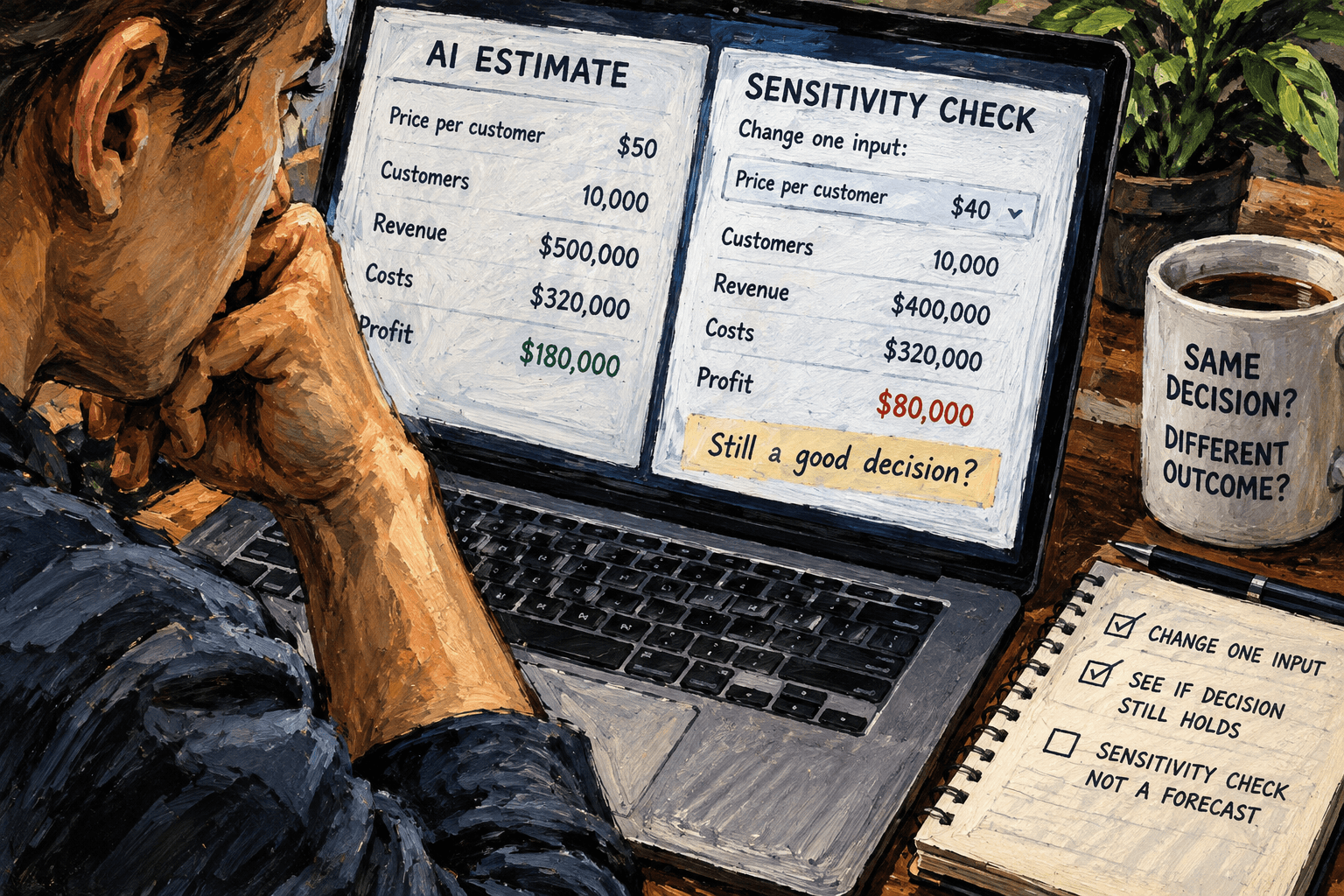
An AI estimate can look precise because it has a dollar sign and two decimal places. The useful question is often simpler: if one uncertain input changes, does the decision change too?
Try a sensitivity check. Keep the calculation and all its other inputs fixed, change one assumption across a reasonable range, and compare the result. You’re checking how much the answer depends on that assumption. You aren’t asking the model to prove its own estimate.
For example, if an AI helps estimate the monthly cost of a new service, ask what happens if the number of uses is lower or higher than expected. If the recommendation only works at the most optimistic usage level, that’s useful to know before you budget for it.
Change one input at a time
A sensitivity check is a way to see how an output responds when an input changes. Microsoft describes this kind of what-if analysis as changing worksheet values to see how those changes affect formula results. Its Excel tools include data tables for comparing outcomes across one or two changing variables. You can use the same reasoning in a short AI conversation or a spreadsheet, even without using Excel’s specific features. Microsoft’s introduction to What-If Analysis explains the approach and the limits of the different tools.
The discipline is to change one assumption at a time. If you change the expected number of jobs, the labor cost, and the monthly fee all at once, the result may move, but you won’t know which input drove the change. A one-input check gives you a cleaner answer to a practical question: “How sensitive is this result to this particular estimate?”
Pick an input that is both uncertain and relevant to the decision. That could be the number of transactions, hours saved per week, price per unit, time spent reviewing an AI draft, or the share of records that need correction. Don’t vary every number just because the model can make a large table. Start with the assumption that you have the least confidence in or that could most easily change the outcome.
This is useful when AI has helped you draft a rough estimate, organize known figures, or explain a calculation. It doesn’t make the original figures reliable. You still need to know where the inputs came from and whether the formula matches the decision you’re making.
A prompt you can adapt
Keep the calculation visible. Ask the AI to hold the formula and all other inputs constant while it varies one value. Tell it to distinguish provided facts from assumptions, show the results, and avoid turning the table into a prediction.
I’m reviewing this estimate: [paste the formula or calculation and its inputs]. The decision I’m considering is: [describe the decision]. Change only this assumption: [name the input]. Compare these values: [lower value], [current value], and [higher value]. Keep every other input and the calculation fixed. Show the result for each case and state what changed. Mark any number I have not supplied as an assumption. Do not describe the range as a forecast or recommend a decision. If the calculation is unclear or a value is missing, ask me before calculating.
Use a range that makes sense for your task. It could be a pair of alternatives around the current estimate, or a low, middle, and high value. There is no universal percentage that makes a range reasonable. For a subscription estimate, you might use usage levels based on the past few months. For a new activity with no history, mark the range as a planning assumption and ask someone who owns the work whether it is plausible.
The instruction to keep other inputs fixed matters. It makes the comparison easier to interpret, but the model may still change a value, misunderstand a unit, or apply the formula incorrectly. Treat the returned numbers as candidates to check. If the formula is short, calculate the results yourself or enter them in a spreadsheet you control.
An illustrative before and after
Here’s a hypothetical example, not a real business result. A team is considering a service with a fixed monthly charge of $300 and an additional $2 per processed request. The team expects 400 requests a month. The simple cost calculation is:
Monthly cost = $300 + ($2 × number of requests)
At 400 requests, that gives $1,100. Someone asks an AI whether the service will fit a $1,200 monthly budget. The answer is yes, and the estimate may sound settled.
A sensitivity check changes just the usage assumption:
| Requests per month | Calculation | Estimated monthly cost | | -----------------: | ----------------- | ---------------------: | | 250 | $300 + ($2 × 250) | $800 | | 400 | $300 + ($2 × 400) | $1,100 | | 500 | $300 + ($2 × 500) | $1,300 |
Those figures are arithmetic for this invented example. The upper case passes the budget, even though the middle case does not. That doesn’t mean the service will receive 500 requests. It shows that, under this formula, the decision is sensitive to usage around that level.
The useful follow-up is not “Which row should I believe?” It’s “What evidence do we have about the number of monthly requests?” If the team has logs, use them. If it has only a guess, write that down as a guess. A usage band based on observed history is a different kind of input from an invented high case.
You can then check the decision itself. Does the $1,200 limit mean the bill must never exceed that amount, or is it a target with room for exceptions? Is the fixed charge actually fixed for the term being considered? Are there taxes, setup costs, minimum commitments, or extra fees missing from the formula? The table answers none of those. It has made one assumption visible so the person responsible can investigate it.
Review the result before carrying it forward
Use a short check after the AI returns its comparison:
- Confirm the input changed. Check that each row uses the value you asked for and that the other inputs stayed fixed.
- Recalculate at least one row. Verify that the arithmetic follows the formula. For a consequential decision, check every row against a spreadsheet or another trusted calculation method.
- Check the units and period. Requests per month should not accidentally become requests per week; an annual amount should not be compared with a monthly budget.
- Name the source of the range. Was the lower and higher value based on records, a supplier quote, a process owner’s judgment, or a placeholder? Keep that distinction visible.
- Read what the comparison can support. It shows how this calculation responds to the chosen input values. It does not establish that the values will occur or that the model’s original formula is correct.
These checks matter because a table can look more objective than the assumptions behind it. Three rows of calculated values are still just three rows if nobody knows why the values were chosen.
If you already have a spreadsheet formula, use it as the calculation source and vary the cell that contains the chosen input. Microsoft’s what-if guidance describes data tables for exploring how one or two variables affect formula outcomes, and scenarios for sets of different inputs. A spreadsheet can make the arithmetic easier to repeat. It still depends on a correct formula and inputs that fit the question.
For a quick one-off, a calculator is enough. If the estimate will be reused or reviewed by other people, keep the formula and the source of each input next to the results. That way someone can see whether a later change came from a new assumption, a corrected formula, or a different budget constraint.
When a business decision depends on the range
The same check can help with a basic break-even estimate. The U.S. Small Business Administration describes a break-even calculation using fixed costs divided by price minus variable cost per unit. It also notes that estimates depend on the costs and sales assumptions supplied, and that some costs can have both fixed and variable parts. The SBA’s break-even guidance gives the formula and discusses those cost categories.
Suppose a team is using an estimate to decide whether an offer covers its monthly fixed costs. A sensitivity check might vary the number of units sold while leaving price and variable cost unchanged. That gives the team a view of how the result moves with sales volume. It does not show that those sales are achievable, and it won’t catch an omitted cost unless someone adds that cost to the calculation first.
If the decision changes across the range, that is a cue to learn more about the input or choose a decision that can be revisited. If the decision stays the same, you may have learned that this particular assumption matters less within the range you checked. Neither result is a guarantee. A different assumption, a different period, or an incorrect formula could change the picture.
Avoid putting sensitive customer, employee, financial, or business information into an AI tool unless your organization has approved that use. A sensitivity check usually needs only the formula, the relevant numbers, and a description of the decision. Remove names and details that do not affect the calculation.
Where the check stops helping
A sensitivity check explores a range you choose; it doesn’t tell you which value is likely. If the range is too narrow, it can hide a meaningful risk. If it is made up without any connection to the work, the table can create the appearance of analysis without adding evidence.
It also examines one input at a time. Real conditions can change together. For example, an increase in activity might raise both the number of transactions and the labor needed to review them. A one-input check can isolate the effect of transaction volume while it holds labor constant, but that may not match how the process behaves. In that case, write down the relationship and use a scenario with multiple inputs, or ask a finance or operations owner to help build a more complete model.
The technique is a poor substitute for specialist review when a decision has legal, safety, employment, medical, credit, or other serious consequences. A clean table doesn’t make a high-impact decision safe. Follow the review rules for the work and keep the accountable person involved.
And if the estimate has no clear formula, stop before asking for a more elaborate table. Ask the person who owns the numbers what should be counted, over what period, and what the result is supposed to mean. AI can help lay out a calculation once those choices are clear; it cannot decide the organization’s accounting policy or invent evidence for an assumption.
Try the concept on one estimate you already need to review. Name the decision, choose one uncertain input, vary it while holding the rest fixed, and verify the arithmetic. The result you want is not a confident-looking range. It’s knowing whether the decision would change if that assumption moved, and what evidence you need before relying on it.
Sources: Microsoft’s What-If Analysis overview and the U.S. Small Business Administration’s break-even guidance.
Sources
Every claim above traces back to one of these. Go read them yourself.
- 01Introduction to What-If Analysis
Microsoft Support / support.microsoft.com / retrieved Oct 16, 2026
- 02Break-even point
U.S. Small Business Administration / legacy.sba.gov / retrieved Oct 16, 2026
Suggested reading
Selected articles based on topic, tags, and skill focus across the library.
Foundational AI: Do's and Don'ts
When AI gives a different answer, check what changed
Two AI answers to the same work request can use different words. Judge whether the difference changes a fact, a commitment, or a next step before deciding which draft to use.
Foundational AI: Do's and Don'ts
Give AI a stopping rule for research
When an AI keeps researching, tell it what evidence is enough to stop. A clear stopping rule helps you get a reviewable answer without mistaking a longer search for a better one.
Foundational AI: Do's and Don'ts
Put events in order before asking AI to summarize them
When notes describe the same job out of order, ask AI to build a dated event list before it summarizes. Then check the sequence against the original records.